Forum Discussion

Dividing single word page onto some section?

Going through your initial post and the document...
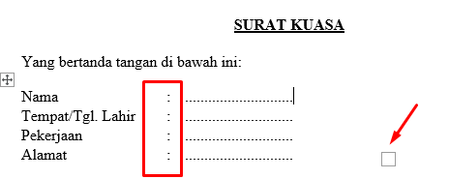
The resize square is for a table. I enabled View Gridlines on the Table Layout tab. That makes them easier to spot in a document. I also have non-printing characters enabled.
I see you are using blank or empty paragraphs for spacing. This is a bad habit. See 2.2 Why you should press Enter only once to end a paragraph
The third section is also a table.
Tables are very handy for organizing text on a page. As you can see, they need not be visible as tables.
4. Use Tables and Tabs to Arrange Text in Microsoft Word
Here is a link to my page on Making Forms with Microsoft Word
Note that if this is to be filled in as a Word document, rather than a printed paper document, you should be using Content Controls for places to type.
- Create a Form Using Word Content Controls by Greg Maxey
- Repeating Data Using Document Property Content Controls and Other Mapped Content Controls
If your version of Word does not allow Content Controls, consider at least using MacroButton Fields.

I want to create a legal paper, which will contain identity in the first part like
Name : Casper
DOB : 01/01/2001
Place of Origin : New York
this one, side-to side, and already solved previously by Stefan_Blom, so the first issue is tackled already
the second part, regarding what's the letter for, is just usual text, so, there's not any problem here
the third part is the one get the problem now, it's the signature part.
The format is somewhat like this
(Name 1 title) (Name 2 title)
(Space for signature)
(Name 1) (Name 2)
Nah, making the table for this part is the current unsolved problems. It's not side-to-side like the first, it's top to bottom.
Enlarge the table will enlarge both (Name 1 title - Name 2 title and Name 1 - Name 2) which result in one of those 2 :
1. There's unnecessary space below the name 1 - name 2, because both table are enlarged now
2. There's no space below the name 1 - name 2, but instead, name 1-name 2 stay upwards, leaving no space for signature
(please refer to the screenshot I provided before)
It seems that your links are a huge tutorial, but mostly, it's about automation in form-fillings rather than designed for empty form that will be handwritten later.
- Charles_KenyonOct 12, 2023Bronze ContributorInsert a row, perhaps with a bottom border, between the one for Names 1&2 titles and the names.