Forum Discussion

adamfmiko
Nov 19, 2026Copper Contributor
Windows Update block week D updates
How do I block week D updates from appearing?

VictoriaArdito
Nov 19, 2026Occasional Reader
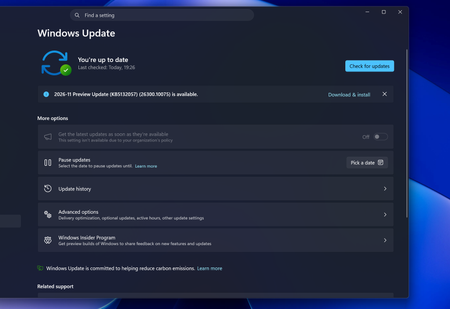
Yes. Week D updates are optional Preview (non-security) updates, generally released during the fourth week of the month. You can simply avoid installing them.
Windows 11 – easiest method
- Open Settings → Windows Update.
- Select Advanced options.
- Turn OFF Get the latest updates as soon as they're available.
- When a Preview update appears, do not click Download & install.
Important
Microsoft does not provide a simple supported Windows Update switch to permanently hide only Week D updates while automatically accepting all regular security updates.
My recommendation: Skip optional Preview updates and let the regular second-Tuesday cumulative security updates install.