Forum Discussion

Which method is better for resetting a Windows 11 computer?
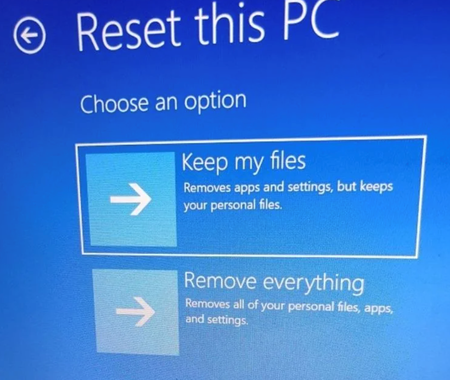

Both paths start the same Reset this PC workflow, so the entry route does not change the result. Use Settings > System > Recovery > Reset PC when Windows starts normally. Use Shift+Restart > Troubleshoot > Reset this PC when Windows cannot start reliably or Settings is unavailable. Reliability depends more on the selected options. Back up files and save the BitLocker recovery key first. Keep my files preserves personal files but removes apps and settings; Remove everything deletes personal files, apps, and settings. Choose Cloud download if local Windows files may be damaged and internet is stable. Local reinstall uses existing files, can be faster, and may not include the latest updates. Keep the device connected to power and do not force a restart, even if the screen remains black for several minutes. For a booting PC, Settings is simpler; Windows RE is the fallback, not a stronger reset.