Forum Discussion

Delikell
Sep 24, 2026Iron Contributor
The installation of Windows 11 gets stuck and won't continue
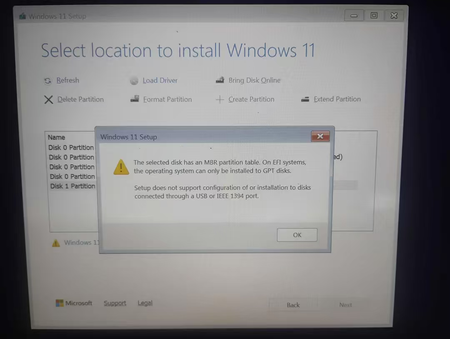
I've been trying to clean install Windows 11 on my Acer Aspire A515-43 (Ryzen 3 3200U, 4GB RAM, 119GB storage), but I always get stuck at the same screen and can't move forward. I'm using a 32GB SanD...

KapilArya
Sep 26, 2026MVP
Yes, you need to convert the drive to GPT.
Press Shift+F10 while you're on this screen.
In Command Prompt, execute these commands:
- dispart
- list disk
- select disk #
- clean
- convert gpt
- exit
- exit
Note: Replace # with actual disk number.
Then you can select your drive and continue installation.