Forum Discussion

The file size display format in Windows 11 File Explorer has changed
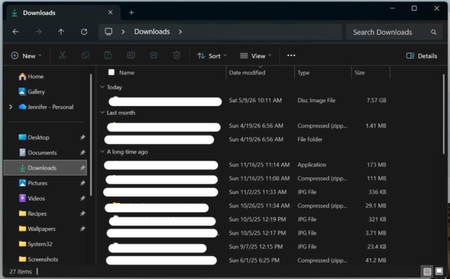

You are asking whether File Explorer can show every size directly in MB or GB instead of its current format. Windows 11 does not provide a supported setting for forcing one unit in Explorer’s Size column; that column chooses its representation, and folders do not receive a calculated size there. First confirm the folder is using Details view and the Size column is enabled. For an exact item, open Properties, which shows a readable size and byte count. For repeatable calculations, PowerShell can return bytes with “(Get-Item 'C:\path\file').Length”; divide that result by 1MB or 1GB when you need a fixed unit. If the update changed spacing, abbreviations, or values rather than only the unit, capture the Windows build and a screenshot and report it through Feedback Hub. Avoid registry tweaks claiming to force units, because Explorer exposes no documented policy or preference for that behavior.