Forum Discussion

One Drive does not automatically update when A new version is released.
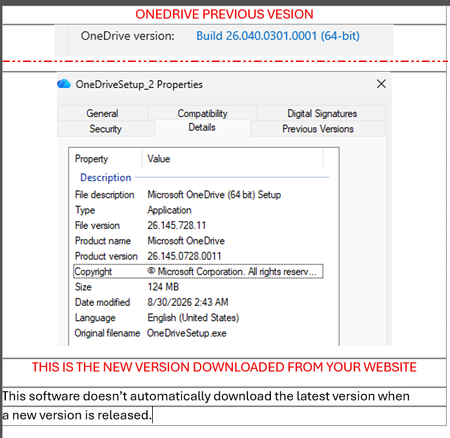

OneDrive normally updates itself gradually, so your device may legitimately remain one build behind the release-notes page. Select the OneDrive cloud icon > Help & Settings > Settings > About and record the installed version. Confirm that OneDrive runs under the intended Windows account and that the device is not using an organization-controlled deployment ring. Microsoft notes that Family Safety settings, browser extensions, or firewall rules can block update endpoints, so test without those restrictions and ask the administrator to allow OneDrive update traffic. Restart OneDrive, then Windows. If the version remains old, download the current OneDrive installer from Microsoft and run it over the existing installation; this should preserve the sync relationship. Do not remove the local OneDrive folder or unlink the account merely to update the client. If manual installation fails, collect the setup log and exact error before investigating the separate Visual C++ issue.