Forum Discussion

New TV has buzzing audio when connected to PC – headset works fine
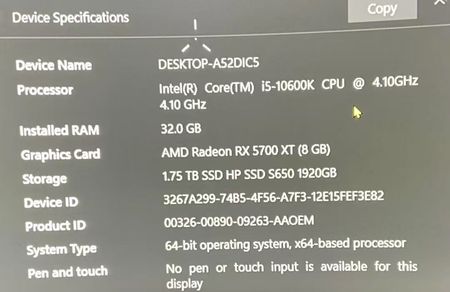

Because the headset works from the same PC and the TV plays sound from other devices, the fault is likely in the PC-to-TV connection or selected HDMI or DisplayPort audio endpoint. Select the TV as the output device, then open device properties and disable audio enhancements and spatial sound for the test. In More sound settings, set the TV endpoint to a common two-channel format and test again, rather than changing every frequency blindly. Power off both the TV and PC, reseat the cable, and test a different known-good cable or display input. Install the current graphics driver and firmware recommended by the PC or graphics manufacturer because display audio is normally delivered by graphics hardware. If another display produces clean sound using the same cable, the TV input or compatibility is implicated. Provide the GPU model, connection type, TV model, and results to the manufacturer if the issue persists.