Forum Discussion

Is there a Windows setting to make it use GPU ram first for my gaming sessions?
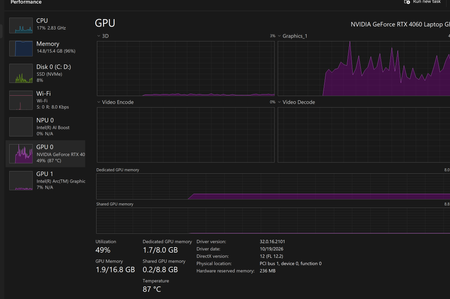

Windows cannot substitute the RTX card’s dedicated VRAM for system RAM just because that VRAM has spare capacity. GPU memory holds graphics/compute resources; applications’ normal CPU memory allocations still use system memory. Shared GPU memory is system RAM available to the GPU, not additional RAM obtained from the graphics card.
Your screenshot shows nearly full system memory while dedicated GPU memory is lightly used, so identify the system-memory consumers first. In Task Manager, sort Processes by Memory during a slowdown and compare the game with background browsers, launchers, and other applications closed. Review Startup apps for programs you do not need running automatically.
Then reproduce one game on mains power while watching CPU/GPU utilisation, memory pressure, and temperatures. Compare before and during the FPS drop. Check compatible HP graphics/power updates if needed. The screenshot does not prove that RAM pressure is the only cause, so avoid changing VRAM-related settings blindly.