Forum Discussion

Josew
Mar 20, 2026Silver Contributor
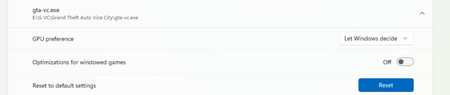
How do I completely reset GPU preferences and data for apps in Windows 11?
In System Settings → Display → Graphics, I previously manually assigned GPU preferences for certain apps. Now I want to completely remove these custom settings, revert to the default system-automatic...

YasirSuleman
Mar 20, 2026Copper Contributor
Windows 11 does not include a reset option for GPU preferences in Settings.
To remove all custom GPU assignments:
Press Win + R, type regedit, and press Enter.
Navigate to:
HKEY_CURRENT_USER\Software\Microsoft\DirectX\UserGpuPreferences
In the right pane, delete all entries or delete the entire UserGpuPreferences key.
Close Registry Editor and restart your computer.
After restarting, Windows will return to automatic GPU selection for all apps.