Forum Discussion

View in File Explorer - Cookies are only Persistent for a week
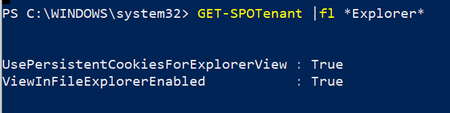

https://docs.microsoft.com/en-us/windows-server/identity/ad-fs/operations/ad-fs-single-sign-on-settings

Win AD 2016 and Azure (P1) AD Connect with User Sign-in Seamless sso enabled
So AD FS 2016 with PSSO enabled and testing on a registered device.
...which probably had more than 14 days not accessing SharePoint from file explorer, that could have killed the cookie.
Very interesting link and something to study tomorrow with the team 🙂 I will test the 14 days now window (accessing with File Explorer those document libraries daily but leaving the OneDrive one alone for two weeks)
I now have better understanding of the view in File explorer vs OneDrive sync, where the latter is an app doing constant syncing and authentication (when it is working, lol), while the view in File explorer relies on cookies and FS to keep the link live, which at some point, sooner or later, it will have to be manually re-activated.
It was designed as an alternative view while you are in SharePoint anyway, not a permanent tool for file explorer 🙂
Thanks for pointing me to the right direction ChristianJBergstrom 🙂