Forum Discussion

Validation for Sharepoint list (not a form)
- Jul 13, 2024
Hi SPNewbie1,
I have created a new list on my tenant and applied your formula and it looks correct. (In my language, I need to use ";" as the parameter separator instead of ",".)
Then I get the correct validation on the form.
The error you encountered is something I haven't seen before.
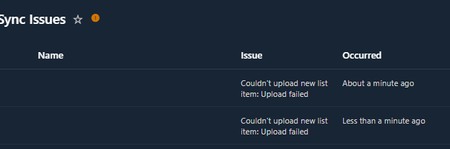
In discussions on this topic, some people have mentioned that it can be caused by the URL column type.
Can you reproduce the same error on the newly created list?

Hi SPNewbie1,
I have created a new list on my tenant and applied your formula and it looks correct. (In my language, I need to use ";" as the parameter separator instead of ",".)
Then I get the correct validation on the form.
The error you encountered is something I haven't seen before.
In discussions on this topic, some people have mentioned that it can be caused by the URL column type.
Can you reproduce the same error on the newly created list?
 SPNewbie1Jul 16, 2024Copper ContributorCreating a new list worked. I wish i could figure out whats wrong with my current list since i already have so much data in it
- michalkornetJul 17, 2024Steel Contributor
Hi SPNewbie1, Maybe deleting the mentioned URL type column can help with the corrupted list.
There are some methods to copy items to a new list. You can export items to CSV or Excel and then create a new list using the CSV or Excel file as a template.
There is also the old method of creating a list template including the content and then creating a new list from the created template. To do so, you need to perform the following steps:
1. enable script support for the site -> https://pnp.github.io/powershell/cmdlets/Set-PnPTenantSite.html#example-5
2. Save list as Template -> https://yourtenant.sharepoint.com/sites/yoursite/_layouts/15/savetmpl.aspx?List=%7BAD2B09CE%2DF694%2D4D9F%2D9952%2D911F836BBE22%7D <- here you have to provide your list GUID
3. Create a new list using the created template (in classic view) -> https://yourtenant.sharepoint.com/sites/yoursite/_layouts/15/addanapp.aspx
- SPNewbie1Jul 15, 2024Copper Contributor
michalkornet thank you or responding and confirming my formula is correct. I will create a new list and see if that works.