Forum Discussion

Using meta data from a MS form created in SharePoint in Email
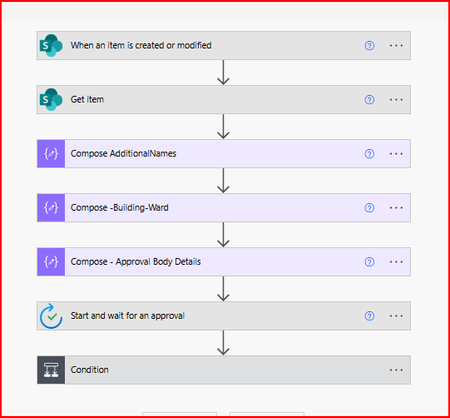

Hi, the extra @odata content appears because the multi-value Person and Choice fields are arrays of objects, and the flow is joining or inserting the complete objects into the email. Add a Data Operation → Select action before the email. For the Person field, use the Person array as the input and select only the display-name property shown in the flow’s run history. Then use a Join action with a comma and space as the separator. Repeat the same process for the Choice field by selecting only its Value property. If the Choice output is already a simple array of strings, you can join it directly without Select. The exact property capitalization can vary, so inspect the successful Get item output rather than typing the property name from memory. The final email should use the output of Join, not the original SharePoint field.