Forum Discussion

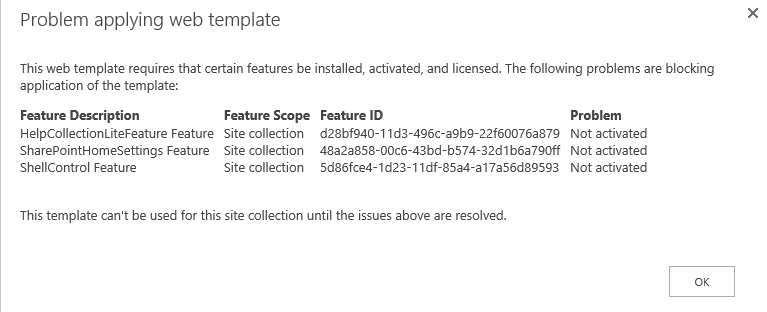
Trying to import a site template, but getting error message

Hi,
It seems you have custom features installed which did not get exported in the sitetemplate. I would not use a sitetemplate. I would recomment to look at PNP as it is more updateable than a sitetemplate.
kr,
Paul

 Jonathan NunezJul 03, 2017Brass Contributor
jcgonzalezmartin wrote:
Agree with Paul, in general avoid to use a template you got when saving a site as template since you will have this kind of problems when trying to use it...saying this, if you need to use this template you will have to fix first this problems before applying the template. Fortunately, you can create a site collection without applying the template so you can try to enable these features either using the UI or PowerShellWell the issue here is that a previous co-worker made a test site in a different sharepoint site and now we need to import it in the live sharepoint site of the client. There's infopath forms already done, libraries and views configured...so that it would mean having to make it again... :(
- DeletedJul 03, 2017Not applicable
PnP does not migrate data your infopath forms or any other content. it just rolls out your site without using older styles etc. your infopath form can be redeployed manually views of libraries will be included in the PnP xml
- Jul 03, 2017
I haven't tried any infopath stuff. But with the Tenant Migration sample in PnP-PowerShell I've made a start to include data as well.
Also there is the PnP PowerShell command to add data to a PnP Template, Add-PnPDataRowsToProvisioningTemplate.
- Jul 03, 2017Then you should go for PnP