Forum Discussion

johnjohn-Peter
Jan 12, 2025Steel Contributor
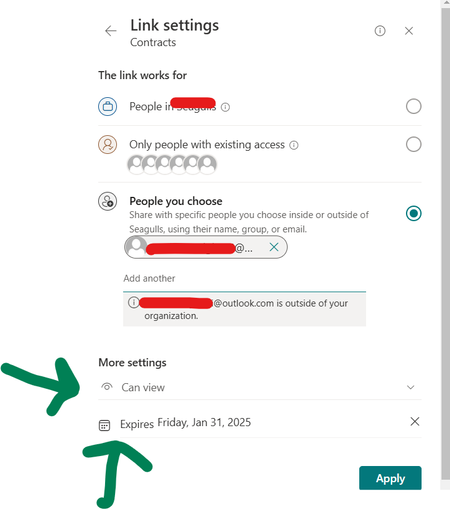
Sharing the same SharePoint folder with 2 users using links, one setting will override the other
I have a folder named "Contracts" inside a document library inside SharePoint online communication site. I need to share the folder with 2 users with Read-Only permission; one with a link that expire...

ramesh_subedi
Jan 12, 2025Tin Contributor
Hi John,
You should be able to share two different links with separate expiry dates. It seems, in this case, the same link was configured for both users, which is why only one link is being used.
To resolve this, please follow these steps:
- Right-click the folder and select "Manage Access."
- Click on "Share," set the desired expiry date, and send the link to the first user.
- Repeat the process for the second user with a different expiry date.
This will generate two unique links for the two users, each with its own expiry date.
I hope this resolves your issue. Let me know if you need further assistance.