Forum Discussion

knewsom
Dec 08, 2021Copper Contributor
Sharing only parts of document Library to external clients
Hello, I am trying to share only parts of my document library with my external clients and have managed to create access to particular folders; however, these can only be accessed by a link send ...

knewsom
Dec 09, 2021Copper Contributor
Paul_Keijzers they do have access to the actual SharePoint site, which I have enabled their permission to see everything, as it does not contain anything proprietary. I am using the site for both internal (full library access) and external (restricted library access) clients/users. It's not the most ideal to provide restricted access; however, if I were to create a second site and/or library I would be doubling my work, unless there is a way to link a file back to original location without giving access to that original location (which is what I have found the problem with so far).

Dec 09, 2021
I think this link can help you as In SharePoint you have the shared with us link this you could use for the external party
https://sharepointmaven.com/how-to-access-files-and-folders-shared-with-the-microsoft-365-group-via-shared-with-us-link/
https://sharepointmaven.com/how-to-access-files-and-folders-shared-with-the-microsoft-365-group-via-shared-with-us-link/
 heatherBLMDec 09, 2021Copper ContributorAs simple as right click on a folder, share, add their email double checking whether they should be able to read or edit ( icon at the end of email line, edit is default!!!!) and typing a quick message. The person can be from anywhere and they get an email with access that they should not loose. The have zero access to the site, only to the files or folder shared.
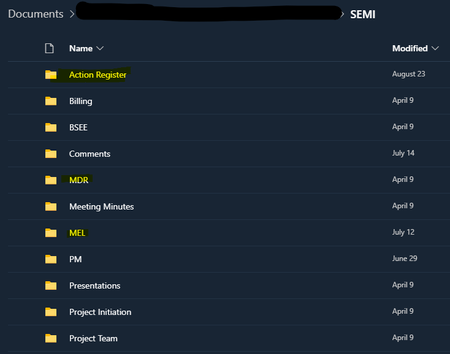
- knewsomDec 09, 2021Copper ContributorheatherBLM, I want them to be able to view the site, and also partial document library access. I have made it where they can see the site itself, but document library shows empty, even though I have granted access to specific files and folders within the library. If I share a folder directly, they can access, but then try to go back to the site by going up a level so to speak ,the documents disappear from the library.
- heatherBLMDec 09, 2021Copper ContributorAs designed. Personally I stay FAR away from custom permissions on a site and put documents that should not be seen in as separate site. I don't advise your security design at all. That said, you can make them a site member, create a new sharepoint permission group in advanced permissions, create a new library and pull off all library permissions outside that new permissions subgroup. Move all the files they should not see in that library. They will not see that library. they will see all the other libraries, if you didn't tweak them. .