Forum Discussion

SharePoint Online Global Navigation-open in tab
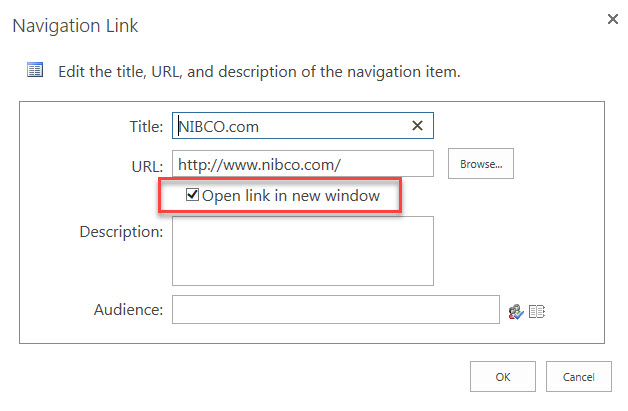
I have been told that links on the global navigation bar will ignore the "Open in New Tab" check box in the navigation setting. Is this true? We have a drop-down on the global navigation to external sites. Would like these to open in new tab. Using structural navigation.
15 Replies
 AnonymousNot applicable
Did you find a way then to open structural navigation links in new tab?
- Susan McClementsIron ContributorNo I have not found a solution.
 Ricky KennyCopper Contributor
I am also experiencing this issue. I have disabled the 'Minimal Download Strategy' site feature and this did not fix the issue.
- Darshani JayasekaraCopper Contributor
I also have the same issue , I have already disabled the minimal download strategy feature, but still the menu items do not open in new tabs in modern UI
 Cath ONeillCopper Contributor
I have this problem too.
I have checked and do not have the Minimal Download Feature activated so something else is causing the New Tab check box to be ignored.
 Praveen Kumar GogulakondaCopper Contributor
even i am having the same issue, can any one please suggest waht can be reason for it?
minimal downlaod srategy is already deactivated for my modernsteam site and still "Open in new tab" is not working.
- AnonymousNot applicable
No that should not be the case Have you deactivated Minimum Download Strategy feature on your site which is enabled by default. Please let me know.
http://www.siolon.com/blog/sharepoint-2013-site-navigation-does-not-open-in-new-window/
- Susan McClementsIron ContributorWe are using modern sites and pages. Won't that decrease the load time for the pages? What features will it disable?
- AnonymousNot applicable
Hello Susan
There shouldn't be any side affects for turning off Minimum download strategy on Modern Sites as it isn't supported on modern experience. Please refer article below.
https://support.microsoft.com/en-us/help/3191547/minimal-download-strategy-feature-isn-t-used-for-a-sharepoint-online-l
But if you're still using classic site, it wouldn't affect the initial load time for Site but subsequent actions like navigating to apps(doclib,listsetc..) from home page might be affected. Here's more detailed explaination for how it works on classic site.
https://threewill.com/working-with-and-around-sharepoint-2013s-minimal-download-strategy/
Please let me know for any questions.