Forum Discussion

SharePoint Online - List Properties Web Part not working?
This is my first time trying to get help online so pardon any faux pas. I also posted at answers.microsoft but I have not gotten any responses, so I thought I would try here.
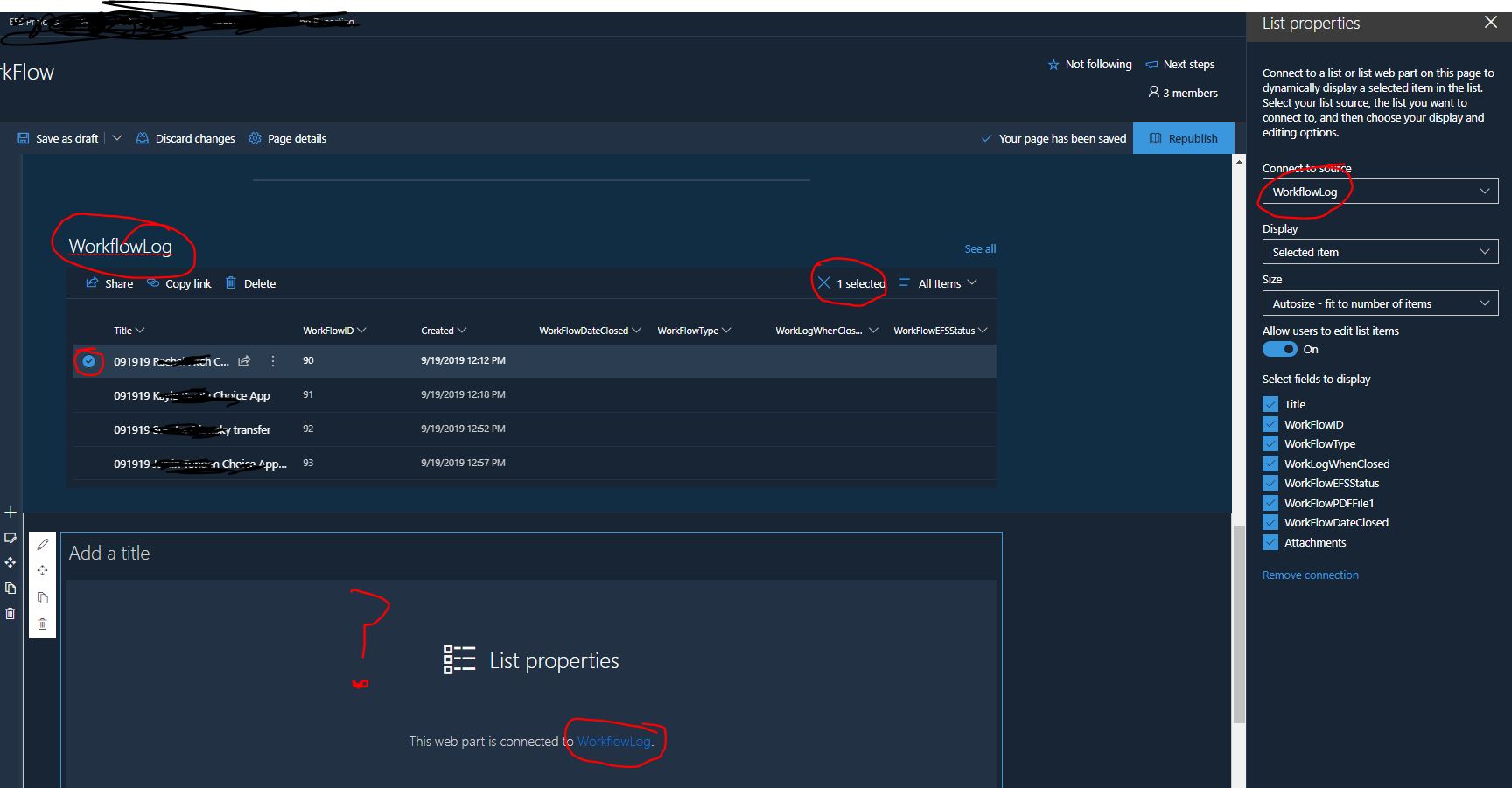
We utilize a SharePoint list in our office and we used to use the List Properties Web Part for quick changes and updates to items in the list. One day a couple weeks back it suddenly stopped working. I have deleted and recreated the web parts, the entire page and tried different lists and still it is not working. The List Properties web part just doesnt display anything. It acts as if nothing is selected, even though it is.
I searched and some people seemed to hint that it is a known issue, but I did not see anything conclusive. Is the List Properties Web Part broken and a known issue?
Hi LavaJones,
I have the same experience. I can get it work temporarily by changing the view in the List web part but it does not persist. It seems like a bug and I will report it to support.
I hope this helps.
Nnorm

15 Replies
- NiclasDahlBrass Contributor
LavaJones Norman Young I am having the same issue on a site right now, did the fix MS do require any action on your part?
I've tried to change/remove both list and list properties web part but it still just show up blank:1.
2.
 LC1AmaTin Contributor
NiclasDahl I've recently noticed that some web parts are acting up and not displaying and others are ok. I have a sharepoint page with 3 webpart views of different list content and two work one doesn't... another page similar one works and two don't. My guess is MS loaded something that has an impact on the webpart???
any ideas?
 LavaJonesCopper Contributor
It started working one day. I might have had to delete the webparts and put them back on the page. But I took no other action and the List Properties is currently working as expected on all of our pages.
Hi NiclasDahl,
I can confirm that it is still working in my tenant and no intervention on my part was required.
Did the web-part ever work? If so, I would contact support and let them figure it out.
I hope this helps.
Norm
- Mark BurlandBrass Contributor
LavaJones I have the same issue. Good to know it's not just me!
Hi LavaJones,
I have the same experience. I can get it work temporarily by changing the view in the List web part but it does not persist. It seems like a bug and I will report it to support.
I hope this helps.
Nnorm
- sjbRectorCopper Contributor
Hi Norman Young,
I'm new to all this... We are having a similar issue. By trail and error the issue for us seems to be when we have a column in the connected list that has been set up as 'Date' type. If we use any other type everything appears to work - it's only when the column has been selected as 'date' that the List Properties Web Part appears blank on the page. If anyone has a work around I would be interested to know...
many thanks
- LC1AmaTin Contributor
I have the same issue. My list properties do nothing when I select an item in the list view. I change the view from All Items to a different one and it works, I go back to All Items and it works too. I do have date fields in the list and by changing them date property to text I still have the same experience.
Any news on a reported bug? I have looked and don't see one. This is really annoying,...users just think the page isn't working. I've had to add a prominent box at the top stating CURRENT MS SPO BUG and tell them to change the view and reset it for the page to work. 😕