Forum Discussion

Sharepoint Online - Deixar visível somente página e menu de navegação (aspecto de site comum)

Jilmar This seems to be a duplicate of this post in another language.
Anyways, try my below suggestions & let us know if it helps you:
You cannot hide all these things using SharePoint out of the box options. You can hide few of the things by following below articles:
- Instruct users to use focus mode - This hides site header, site & hub navigation and app bar.
- Set site navigation visibility to Off - follow New Navigation features for SharePoint team sites
- You can remove "New", "Page Details", etc. options by creating a site page based on home page - follow SharePoint Online: Create a blank page without header & title
- Temporarily disable SharePoint app bar - follow Introducing a SharePoint app bar that features global navigation
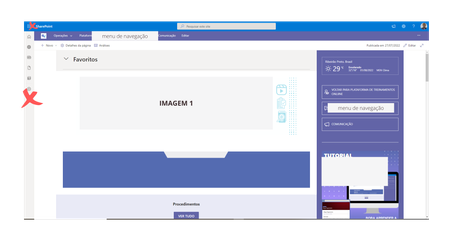
If you want to hide all the things as given in 2nd image, you have to hide those using custom CSS. You can inject custom CSS to SharePoint site/modern pages is SPFx Application Customizer.
For more information check my answers given here:
- How can I include the same JS and CSS files on multiple SharePoint Modern Page?
- Hiding Office 365 Ribbon in SharePoint
Note: DOM manipulation & CSS customizations are not recommended by Microsoft and some of your customization may break if Microsoft changes HTML element id/classes in new release updates.
Please click Mark as Best Response & Like if my post helped you to solve your issue. This will help others to find the correct solution easily. It also closes the item. If the post was useful in other ways, please consider giving it Like.
 JilmarAug 02, 2022Copper Contributorganeshsanap, muito obrigado!