Forum Discussion

SharePoint List Button
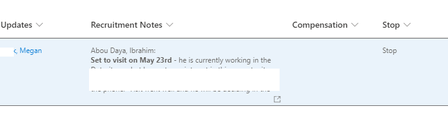

VeeExcelLearn You can use JSON column formatting for your requirements to clear value in "Stop" column. Use JSON in this format:
{
    "$schema": "https://developer.microsoft.com/json-schemas/sp/v2/column-formatting.schema.json",
    "elmType": "button",
    "txtContent": "Clear Stop",
    "customRowAction": {
        "action": "setValue",
        "actionInput": {
            "Stop": ""
        }
    }
}
Documentation: SharePoint column formatting
Please click Mark as Best Response & Like if my post helped you to solve your issue. This will help others to find the correct solution easily. It also closes the item. If the post was useful in other ways, please consider giving it Like.
 VeeExcelLearnAug 27, 2022Brass ContributorThank you ganeshsanap. Can you please suggests website where I can find a place where I can look at all the possible buttons and customizations I can implement in SharePoint sites. Thank you for your solution.
- ganeshsanapAug 27, 2022MVP
VeeExcelLearn Here's Microsoft official documentation for JSON formatting where you can find all syntax and styles (CSS) you can use in JSON formatting: JSON formatting-syntax-reference
Also, look at the samples submitted by other community members to get more ideas: List-Formatting column-samples
Please click Mark as Best Response & Like if my post helped you to solve your issue. This will help others to find the correct solution easily. It also closes the item. If the post was useful in other ways, please consider giving it Like.