Forum Discussion

Set Unique value based on the (CreatedDate & CreatedBy)
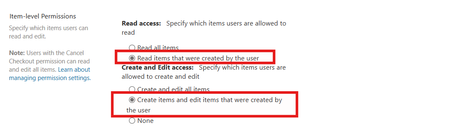

I wouldn't let users anywhere near the list at all (although they would have to have contribute permissions on it). I would build an app in Power Apps with the SharePoint list as the datasource. Also add the Office365Users connector. When the app starts get the items submitted by the current logged in user and display those in a gallery. Then have a form on the same screen where new items can be submitted but, by setting the DisplayMode of the "Submit" button it won't allow the button to be clicked if that date already exists in the gallery. The app can be used on a smartphone, tablet or laptop. Let me know if you would like an example of this to be posted up.
Rob
Los Gallardos
Microsoft Power Automate Community Super User.
Principal Consultant, SharePoint and Power Platform WSP Global (and classic 1967 Morris Traveller driver)

Don't forget the custom content type to the list. Because if the users actually find the list, they might go around the Power App.
 johnjohn-PeterFeb 13, 2025Steel Contributor
but custom content type has nothing to do with this... at the end i can customize the list form to show blank page, so users will have to use Power Apps,, but still users can modify the list using the API.. my question is about having a robust solution similar to using remove event receivers which run on pre-add and pre-edit ,, but those are no longer valid options
- Feb 13, 2025
In what way do you mean that they can modify the list using an API? :)
I recommend doing a penetration test on the list just to try it out. It is impossible to create an "official" item using the right content type unless they have the ID.
To get access of the ID, they have to either be site owners or owners of the list.- johnjohn-PeterFeb 13, 2025Steel Contributor
I mean if you prevent users from edit/create from the list view , and you develop a power apps, but there is not server side validation, then the user can use the browser developer tool and create a duplicate item using the sharepoint rest api ...you did not try this before?