Forum Discussion

Shamik07
Feb 03, 2020Copper Contributor
Restrict access to certain folders and yet view the entire folder tree
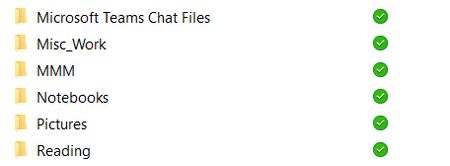
Dear All, The above screenshot shows some of the SharePoint folders that i have. As this SharePoint site is accessible to 100's of my clients, i would like to know if it's possible to restr...

RobElliott
Feb 03, 2020Silver Contributor
Shamik07 you can set the permissions on folders by clicking the 3 dots next to the folder and selecting Manage Access. In the next screen select Grant Access and enter the email address of the person, or enter the Office 365 Group, who should have access. Select the access type and probably you'll want to deselect the Notify People Checkbox.
Rob
Los Gallardos
Microsoft Power Automate Community Super User

MWC368
May 05, 2021Copper Contributor
This did not work. I can add the individual to the folder, but they can navigate the path and access other folders.
The team channel is a public team with 62 members. I need to created folders with restricted access to allow selected individuals to access only the folder for there group. The documents they will themselves be adding are sensitive in nature an should NOT be viewable by the other persons who will be be accessing other folders to do similar task.
The team channel is a public team with 62 members. I need to created folders with restricted access to allow selected individuals to access only the folder for there group. The documents they will themselves be adding are sensitive in nature an should NOT be viewable by the other persons who will be be accessing other folders to do similar task.