Forum Discussion

Vidya Srinivasan
Apr 11, 2017Former Employee
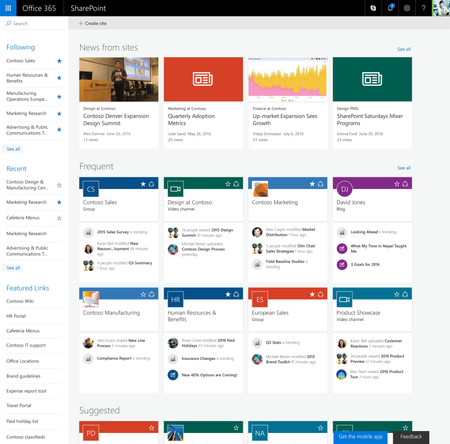
Shipped to First Release: Discovering the SharePoint mobile apps
Today, we shipped the first of many features to help people get even more out of SharePoint by finding and downloading the SharePoint mobile apps! Your SharePoint Home experience will now feature a “...

Philip Worrell
Apr 20, 2017Steel Contributor
Using the sharepoint online client browser app I can compare the object of a document library that does show up and one that doesn't.
I'm seeing only the following differences
Library that does not appear
Base template is 80000
Base type is still DocumentLibrary
Content types enabled is True
Major Version limit 10
Object version 56
On a default library
Base template is 101
Content types enabled is False
Major Version limit is 500
Object version is 16
One other question, if the site does not have a default documents library. Does that cause a problem?
I know it does with Microsoft teams as it expects the library.
If I add an out of the box library to the site it appears without a problem.


Ahmed Gharib
Apr 20, 2017Former Employee
Hi Philip,
Sorry, I may have misunderstood. Does the Library not show up or do the sites not show up? Also, no we don't depend on the default document library, we'll automatically jump there if it's the only one available, but it's not required.
-Ahmed
Sorry, I may have misunderstood. Does the Library not show up or do the sites not show up? Also, no we don't depend on the default document library, we'll automatically jump there if it's the only one available, but it's not required.
-Ahmed
- Philip WorrellApr 20, 2017Steel ContributorThe libraries do not show up. Unless they are libraries that are created using the default document library app.
So if I take a site where no libraries are showing up and I add a document library app. That new one will show up but none of the existing template created libraries will display.
The sites themselves show up ok regardless.