Forum Discussion

bsedd
Oct 22, 2021Copper Contributor
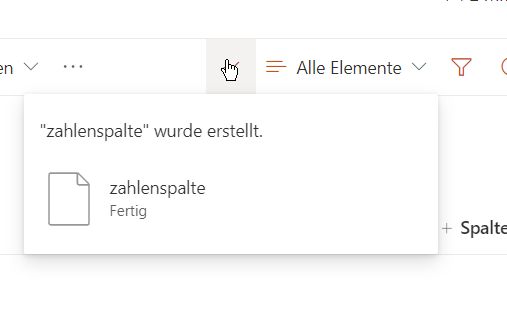
Quickly close the "Column Created" notification
Hi, When creating multiple columns on lists or document libraries it quickly gets frustrating with the Notification that tells you that the column is successfully created is placed directly over ...


Eva Vogel
Oct 22, 2021Steel Contributor
bsedd ! Try this: 1. create your column, with the last option off(deactivated), concerning "add to content types", 2. confirm the new column with the hook icon above that infobox "new column was successfully created". Thus you get at least rid off that second infobox..

 bseddOct 22, 2021Copper Contributor
Hi, I'm not sure what this is supposed to help? The "column created" notification still appears over the "Add column" button even when you toggle off "add to all content types".
For me it has the exact same flow? If you click the tick then a panel to the right opens, it doesn't dismiss on one click 😞