Forum Discussion

Problems with custom forms and the new SharePoint list views
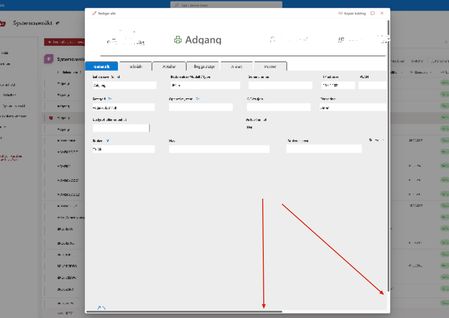

We've had the same issue with all of our lists too. I have noticed that if you change the screen magnification then the customised form is viewable without the scroll bars. My normal screen is set to 100% and they open fine however when i view them on my laptop I have to change the resolution to around 67% - not great but just something i noticed - hopefully microsoft will sort their 'beep' out and get it sorted ASAP Frode_Slettum

michellemcfarlane I also noticed this today as I'm in the office with a very large monitor. If Microsoft just change it so the pop-up uses more of the screen's width, even at lower resolutions / higher zoom then the problem could be solved.
Taking a look at the page css, it looks like the max-width is being set to 100% of the viewport height minus 72px:
.spItemCustomForm_9e070022 {
max-height: calc(100vh - 72px);
max-width: calc(100vh - 72px);
On a small screen the previous preview pane forms would take up most of the screen width, so sizing them to be smaller than the height is obviously causing problems.
With that max-width css removed the form displays fine. Hopefully someone from Microsoft sees this...