Forum Discussion

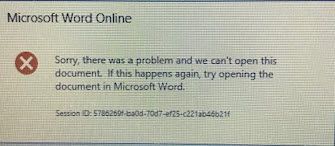
Opening documents by using OOS --> Error

Will # _________ H From the script you posted:
OWA Machine
===============
1.) Import-Module -Name OfficeWebApps
2.) New-OfficeWebAppsFarm -InternalURL "http://hostname.xxx.com/" -ExternalUrl "https://dnsname.xxx.com%22%20/ -CertificateName "OfficeWebApps Certificate" -AllowHttp -EditingEnabled -OpenFromURLEnabled
3.) https://dnsname.xxx.com/hosting/discovery -> work properly. everything works fine.
SharePoint Side
================
1.) New-SPWOPIBinding -ServerName "hostname.xxx.com" -AllowHttp
2.) Set-SPWOPIZone -Zone "external-https"
On the SP side you are using the OOS internal URL but setting the WOPIZone to External, I think that is where you issue is. Also if you are using HTTPS, like you should, you can leave out the -AllowHTTP.

Hi JoshMcClanahan,
I solved the issue yesterday and found out the main cause. normally the script came from another TechNet forum and microsoft. I do a test this script on my labs (2 environments) and it work properly regardless of HTTP or HTTPS. It is weird when my site host comes along with HTTPS, cannot work. I looked into the issue, finally the SharePoint AAM is the big problem. so I change the configuration from AAM, and work fine.
anyway thanks for your reply.