Forum Discussion

Issue with SharePoint Online lists on mobile

Hi curtisclark,
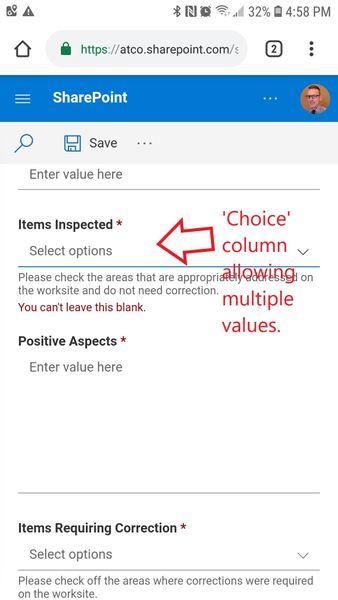
Would you mind to give a little detail about how many values you have? Also have you tried this in the SharePoint app vs. just the site in the mobile browser? Your screenshots just look like its a mobile browser. When they worked before, how did they display? Smaller? When you say "after a change", do you mean you made a change or Microsoft must have? I can see where your values do look rather long and wonder that has something to do with it.
 curtisclarkApr 12, 2019Copper Contributor
Doug Allen thanks for the fast response!
We have 16 total list items and you're correct, they are quite long but messing around with it, it seems that I would have to shrink the number of characters by over half to get them narrow enough for the screen. Previously until some point in Q1 of 2019, there used to be an 'x' close box at the top right - it seems that was removed.
The issue doesn't appear on the Android SharePoint app but people are accessing the list from a url - so if they have a mobile browser as their default, they'd need to go into settings to change their default application.