Forum Discussion

rbennett Microsoft
Jan 27, 2022MicrosoftHow to display Document Library as one combined view vs. "In Channels" & "In Site Library"?
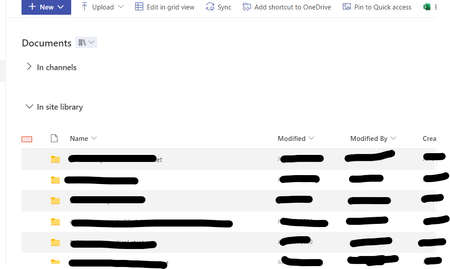
We have a SharePoint that is attached to a Team - previously the Documents view displayed a single list that merged the Teams & SharePoint folders. Now it separates them, as in below screenshot. This...

patriciarodilosso
Oct 09, 2023Copper Contributor
Rob_Hall Any resolution on this? Don't like wasting the height. Thanks.

Rob_Hall
Oct 13, 2023Copper Contributor
patriciarodilosso yes, there is a solution.
Open the "Font" dialog box and go to the "Advanced" tab.
The "Position" drop down and the "By" data field let you move the content around as you please.
A bit silly that they use points and not actually measurements but a few try outs and you'll get what you want.
So glad I found this fix, this has annoyed me for a couple of decades now!!
- Peter2wxinOct 23, 2023Brass ContributorExcuse me, how can I find the "Font" dialog box?
Thanks!- Rob_HallOct 24, 2023Copper ContributorIn the ribbon "Font" area click on the little downward arrow in the bottom right hand corner.