Forum Discussion

How do you Remove Site Page Headers on Communication Sites?
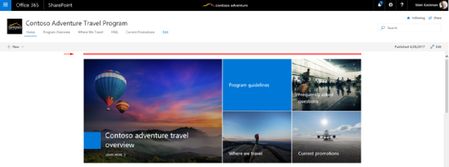

Hey - one simple workaround to create pages based on the home pages of Communications Sites or Groups and not the Modern Pages UI is to go to Site Contents, click the '...' ellipsis pop up menu for the Home.aspx item and select 'Copy To' this will create a copy of your home page without the modern pages header.
Then rename the page as needed and adjust the layout.
Hope this helps!

Hi - definitely hear your feedback on a need for more customizations (specifically removing the title region) on pages. We are currently looking into more title layouts to support more scenarios and make pages look great.
Could you explain the scenario where you'd want to remove the title region all together? Would love to hear your feedback so we know what to work on!
 Steven TolboeAug 01, 2017Iron Contributor
As shown in the example below, we have many pages that we have created which rely on SPFx webparts that we have build that already contain a title. In this instance the title/header is "Pharmanex Products". Because of use cases like this, we do not need/want any pre-fabricated header--just like how the default home page doesn't have a title/header.
With the advent of SPFx webparts and the already available text web parts, having a header/title section forced on the design seems a little overbearing. You can see what we have done, we removed the header background image and made the title only a space with no text and achived the example below. (I then went into the site page folder and made sure each page had the proper "title" and "name".) Not ideal though! You can see on my example that there is still some wasted space (shown by the red arrow at top). Hope this helps! Let me know if you have any other questions.