Forum Discussion

Steven Tolboe
Jul 27, 2017Iron Contributor
How do you Remove Site Page Headers on Communication Sites?
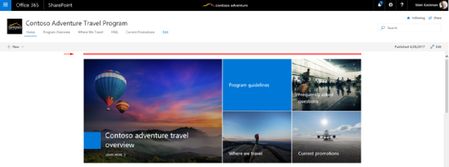
The Home page on the new Communication Site do not have any header text or space (shown in red) and instead goes directly into the first web app (example below): However, when you go to creat...

Richard Burdes
Jul 30, 2017Brass Contributor
Hey - one simple workaround to create pages based on the home pages of Communications Sites or Groups and not the Modern Pages UI is to go to Site Contents, click the '...' ellipsis pop up menu for the Home.aspx item and select 'Copy To' this will create a copy of your home page without the modern pages header.
Then rename the page as needed and adjust the layout.
Hope this helps!

Omar Bermello
Mar 09, 2018Tin Contributor
That was clever :) Thanks!