Forum Discussion

Get Files Filter Query
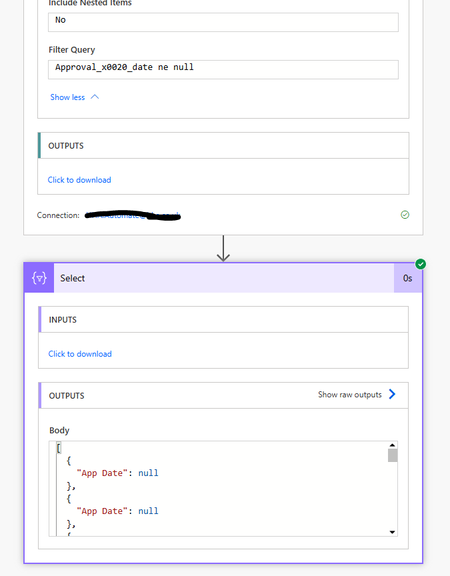

Why You Saw the Error:
Review_x0020_Date gt Approval_x0020_Date
in your filter query isn’t allowed because OData expects a literal on the right-hand side—not another column. This misinterpretation leads to the DateTime parsing error.
Empty (Null) Values:
When some items have an empty Approval Date, the query might misbehave if it isn’t properly filtered out.
-------------------------------------
Field-to-Field Comparisons Are Not Supported:
Work Around This:
Since you can’t compare two date columns directly in the Get Files filter query, you’ll need to split the logic into two parts:
You can use the filter query to retrieve only those items that are “eligible” for further testing
FSObjType eq 0 and Approval_x0020_Date ne null and ToFilterNotifications ne 'Main'
Null Comparisons:
In many cases, filtering for ne null works. If you run into issues with that, you can sometimes work around it by using a constant that you know valid items will exceed. For example, if you know no valid Approval Date is before January 1, 2000, you might use:
Approval_x0020_Date gt datetime'2000-01-01T00:00:00Z'
-------------------------------
Compare Dates Within the Flow
Add a Condition Action: In your Flow, after the Get Files action, use a condition to compare the values.
Use an Expression to Compare Dates: Convert or format the dates if needed (for example, using the utcNow() or formatDateTime() functions).
EXAMPLE:
formatDateTime(item()?['Review_x0020_Date'], 'yyyy-MM-ddTHH:mm:ssZ')
and compare it with:
formatDateTime(item()?['Approval_x0020_Date'], 'yyyy-MM-ddTHH:mm:ssZ')