Forum Discussion

Custom Template in SharePoint
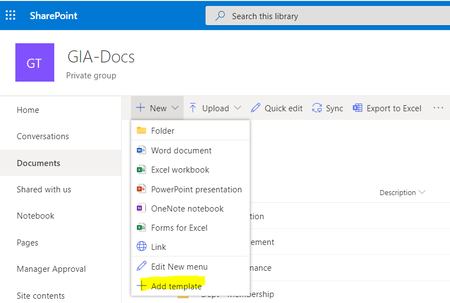

Hi Syed_Sohail
There are numerous reasons this can happen, and I will not assume anything. So let us start with the easy fixes first, and we can work our way on from there.
File Format
The default behaviour in SharePoint Online is to open the docs using Office Word Online. Therefore the file must be a docx and not a doc. Former versions of documents do not work in Word / Excel Online. Are you uploading a doc or docx file? You do not need to use a dot or dotx file as the file you create as a template is already protected and it will create a new instance of it. Even a text file can be used as a template.
If for any reason you do need to use a doc file format, you'll need to change the default behaviour in the Settings Gear cog --> Library settings --> Advanced Settings --> Opening documents in the browser --> Open in the client application.
Let me know if this works. If you are already using docx, let me know and we'll try step 2. 😄

daytamod Thanks for your response. Yes, i'm uploading a docx document, i tried dotx document as template as well.
Also, my default setting for opening documents is 'Open in the client application' as my users are more comfortable with opening documents directly in desktop applications (without any prompt)