Forum Discussion

Copy document library columns across multiple libraries
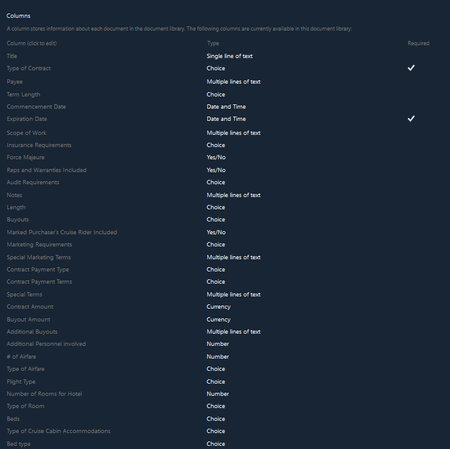

If you want to use same column across multiple lists/libraries then it is recommended to create Site columns.
To create site columns you can follow the steps given in Create a site column in a list or library section in the same link you provided.
Make sure you remember the the Group where you are creating site columns.
Then you can add site columns to your lists/libraries using the steps given in Add an existing site column to a list or library section.
Here you can select the site columns group where you created columns earlier in Select site columns from: drop-down. It will be easier to filter and select the columns you created.
After following this, let me know if you are still not able to see the site columns you created.
Please click Mark as Best Response if my post helped you to solve your issue. This will help others to find the correct solution easily. It also closes the item. If the post was useful in other ways, please consider giving it Like.