Forum Discussion

Adding User ID's from a MS Form
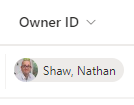

nshaw75 you just need to use the Office365Users Get user profile (v2) action and for the input select Responder's Email from the dynamic content box. Then in your subsequent actions you have access to all the AD information about the user. For your Owner ID column select Mail.
So in this example I will select Guadeloupe in the form:
The flow has the usual When a new response is submitted trigger immediately followed by the Get response details action. Then add the Office365Users Get user profile (v2) action:
And for the SharePoint columns I have selected Mail and Department:
This is the result.
Edit: by the way the Forms forum is at https://techcommunity.microsoft.com/t5/microsoft-forms/bd-p/MicrosoftForms
Rob
Los Gallardos
Microsoft Power Automate Community Super User.
Principal Consultant, SharePoint and Power Platform WSP Global (and classic 1967 Morris Traveller driver)

Thank you for pointing me in the correct direction of he Form forum, I had been looking all over for it
- Rob_ElliottApr 18, 2024Silver Contributor
nshaw75 sorry, I hadn't picked up that it was someone else assigning the Owner. In that case, because Forms cannot look up anyone from Azure AD, you will need to have a question in the form for the Owner email address and use that as the input for the user profile (v2) action. There really is no way round that.
Rob
Los Gallardos
Microsoft Power Automate Community Super User.
Principal Consultant, SharePoint and Power Platform WSP Global (and classic 1967 Morris Traveller driver)- nshaw75Apr 18, 2024Brass ContributorHi Rob
Thanks for taking the time to look at this, it's probably how I imagined it really,.
I am currently running with a multiple choice with the email addresses in. I have already had issues where the guys have typed the email addresses incorrectly and it throws all the flow out. I realised that I will have to persevere as not only will I have to rewrite all the flow, out external contractors and customers will not be able to use a power app if I build one .