Forum Discussion

adding a version column to a document library web page in a sharepoint site
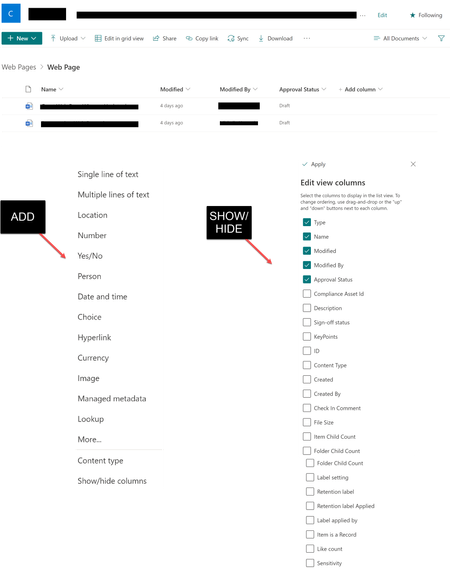

rallybill It is possible to add version column to a document library view. Follow below steps:
- Go to the page where you have added document library web part.
- Click on Switch view options dropdown & select Edit current view:
- It will open view settings page in classic experience. Select "Version" column to display under "Columns" section by selecting checkbox:
- Click "OK" to save the changes and refresh the page where document library web part is added. You should see the version column added to library view now.
Please click Mark as Best Response & Like if my post helped you to solve your issue. This will help others to find the correct solution easily. It also closes the item. If the post was useful in other ways, please consider giving it Like.
 rallybillJun 13, 2022Copper Contributor
Hi ganeshsanap thank you!!
Much appreciated! I'm getting closer.
I did what you suggested, and I have a version column now! There is no value displaying though (unless I look in version history of course, then it does have a version number).
No worries if you don't have an answer here, it might be a question for Microsoft technical support. In case you do, here's what it looks like.
Thank you!-rb- ganeshsanapJun 13, 2022MVP
rallybill I can see the version number without any problem:
And yes, you can check with Microsoft support team by creating online support ticket.
Please click Mark as Best Response & Like if my post helped you to solve your issue. This will help others to find the correct solution easily. It also closes the item. If the post was useful in other ways, please consider giving it Like.
- PedroPascualQuarkMay 11, 2023Copper ContributorHI All,
is there any way to create a Revision column (rather than version) where it can pbe picked from a table of info?
example:
pick P01 and each time the file is override the revision change to P02
Regards