Forum Discussion

Trouble receiving OTP emails from Microsoft Partner Center
 May 28, 2026
Success!
Jill was able to put me in touch with someone that was able to point me in the right direction. It turns out that Microsoft is sending messages from the microsoft.onmicrosoft.com domain.
From: token(at)microsoft.onmicrosoft.com
Subject: Action required: Please verify your email addressIn addition to our organization blocking mail sent from *.onmicrosoft.com domains for security reasons, the messages were apparently being blocked at the M365 perimeter for a period of time because I couldn't even find this in message logs when I first reported the issue back on 1/23/2026.
I didn't see any messages through message tracking in April. However, as of May 28th, they are reaching the message tracking logs!
I suspect the partner center portal was failing to hand the messages off for delivery for a period of time.
In the meantime:
Dear Microsoft,Please update the public documentation to reflect that the partner center sends mail from the domain microsoft.onmicrosoft.com, or send the messages from a domain that is already documented. Here's a list of domains Microsoft says are genuine. The implication being that mail from microsoft.onmicrosoft.com is not genuine.
Can I trust email from the Microsoft account team? | Microsoft Support
accountprotection.microsoft.com
How to determine if an email from Microsoft support is genuine - Azure | Microsoft Learn
Microsoft support uses the following domains to send emails:
microsoft.com
microsoftsupport.com
mail.support.microsoft.com
office365support.com
techsupport.microsoft.comOn a side note, I found the following page while looking to see if anyone has encountered this type of issue before and yes, yes they have.
When Blocking onmicrosoft.com Make An Exception For Microsoft – Denny Cherry & Associates Consulting

 Community Manager
jonwbstr24 with this type of issue I have just learned you need to submit a support ticket here:
I spoke to M365 support, they informed me that while they are not familiar with the partner center, they wanted to help me open a ticket in the partner center to connect with the right support team. However, when she saw that I have opened 12 tickets with the partner center that the ticket assigned to her was opened from the partner center she asked for more time to look into my request.
- JillArmourMicrosoftMay 12, 2026
I am so glad they are trying to stick with this. I know it's been a long road for you so far. I think both support teams (Microsoft 365 and Partner center) need to work thru the problem together! I have made that suggestion to the escalation specialist as well. I hope we can figure this out for you.
- jonwbstr24May 12, 2026Iron Contributor
I'm getting the impression they do not know what domain the messages are coming from.
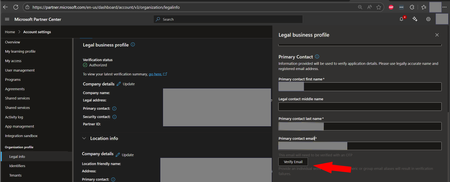
For reference, I've already shared that I don't see any messages from any of those domains in junk/spam, quarantine, message trace / email logs and I don't see any of the domains support thinks the message might be coming from setup in any mail flow or spam filtering rules. I suspect it's not coming from the domains they think it is...Step 1: Confirm the Primary Contact Email Type
Step 2: Check Email Security and Message TracingPlease ask your email or IT administrator to check for blocked or quarantined messages from Microsoft.
The verification emails may come from domains such as:
@microsoft.com
@notifications.microsoft.com
@partner.microsoft.comKindly check:
Junk/Spam folder
Quarantine
Message trace / email logs
Mail flow or spam filtering rulesIf no trace of the email exists, it typically means the message was blocked or suppressed before delivery.