Forum Discussion

Additional Contacts in "New Contacts", not visible in Classic
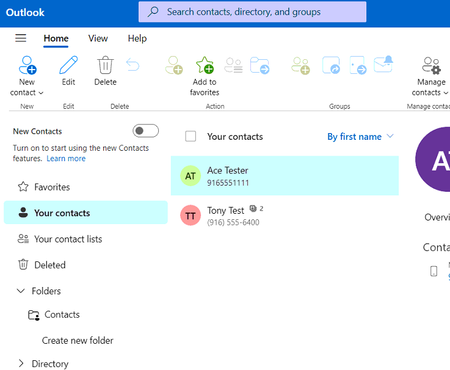

New Outlook contacts is not completely finished yet. I think that 2nd folder "contacts" (under folder)in your first graphic might have your contacts. You didn't show that folder. I think they might be in there, but Outlook Classic can hide contacts too in a folder view but should show up in the contacts either way.
I don't think I'm clear on the question, what number of contacts are on your server?
 scargillssyaforgAug 07, 2025Copper Contributor
Thanks so much for your reply Lisa. The folder you mentioned does not contain the contacts...here's the screenshot of that -
My question is why do I see those additional contacts with the "New Contacts" that aren't showing in classic. Even using the powershell/graph API to list all contacts and all contacts folder directly from the Exchange account yields the two contacts shown in classic, and no contacts folders, so I'm still baffled as to where those contacts seen in "New Contacts" are being pulled from.