Forum Discussion

Gagandeepkaur370
Jul 25, 2026Copper Contributor
OneDrive Access Issue – User Unable to Access OneDrive Despite Multiple Troubleshooting Attempts
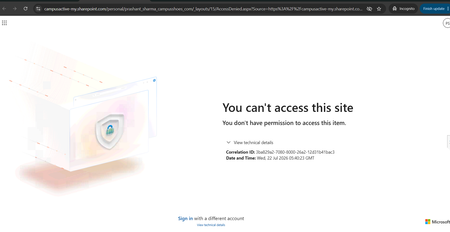
Hello Community, We are facing an issue with a user who is unable to access their OneDrive. Whenever the user tries to access OneDrive, the same error message continues to appear (screenshot/error a...

OwenLanty
Aug 06, 2026Brass Contributor
I would stop reprovisioning and check the user's actual OneDrive site permissions and identity mapping. In SharePoint admin center, open the user's OneDrive site directly from Active sites or User profiles, then verify the site collection admin and the user's presence in the User Information List. Also check whether the user has multiple accounts with similar UPNs, a changed UPN, or a stale deleted user object. If the site exists and the license is active, an Access Denied page usually means the site is there but the principal resolving against it is wrong. Capture the correlation ID from the error page and send that with the site URL to Microsoft support.