Forum Discussion

OneDrive Access Issue – User Unable to Access OneDrive Despite Multiple Troubleshooting Attempts
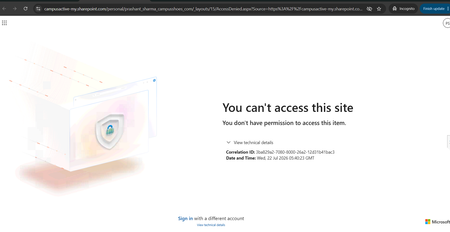

The screenshot shows Access Denied for the user’s own OneDrive site, so investigate identity and site authorization rather than synchronization or provisioning. Because the license, service plan, and site URL exist, further reprovisioning is unlikely to address the cause. In the Microsoft 365 admin center, run the SharePoint and OneDrive “Site User ID Mismatch” diagnostic for the account. This condition commonly follows user recreation, UPN changes, or identity synchronization changes. Also use Check Permissions on the OneDrive site, compare the user’s Entra object and UPN with the site user entry, and review Service health. Test the direct OneDrive URL as the user in a private session and as an administrator. Preserve the correlation ID and UTC timestamp on the error page. If the diagnostic finds no mismatch and permissions are correct, open a Microsoft support case with those identifiers so the backend request can be traced.