Forum Discussion

How do users default onedrive files to open in microsoft desktop applications.
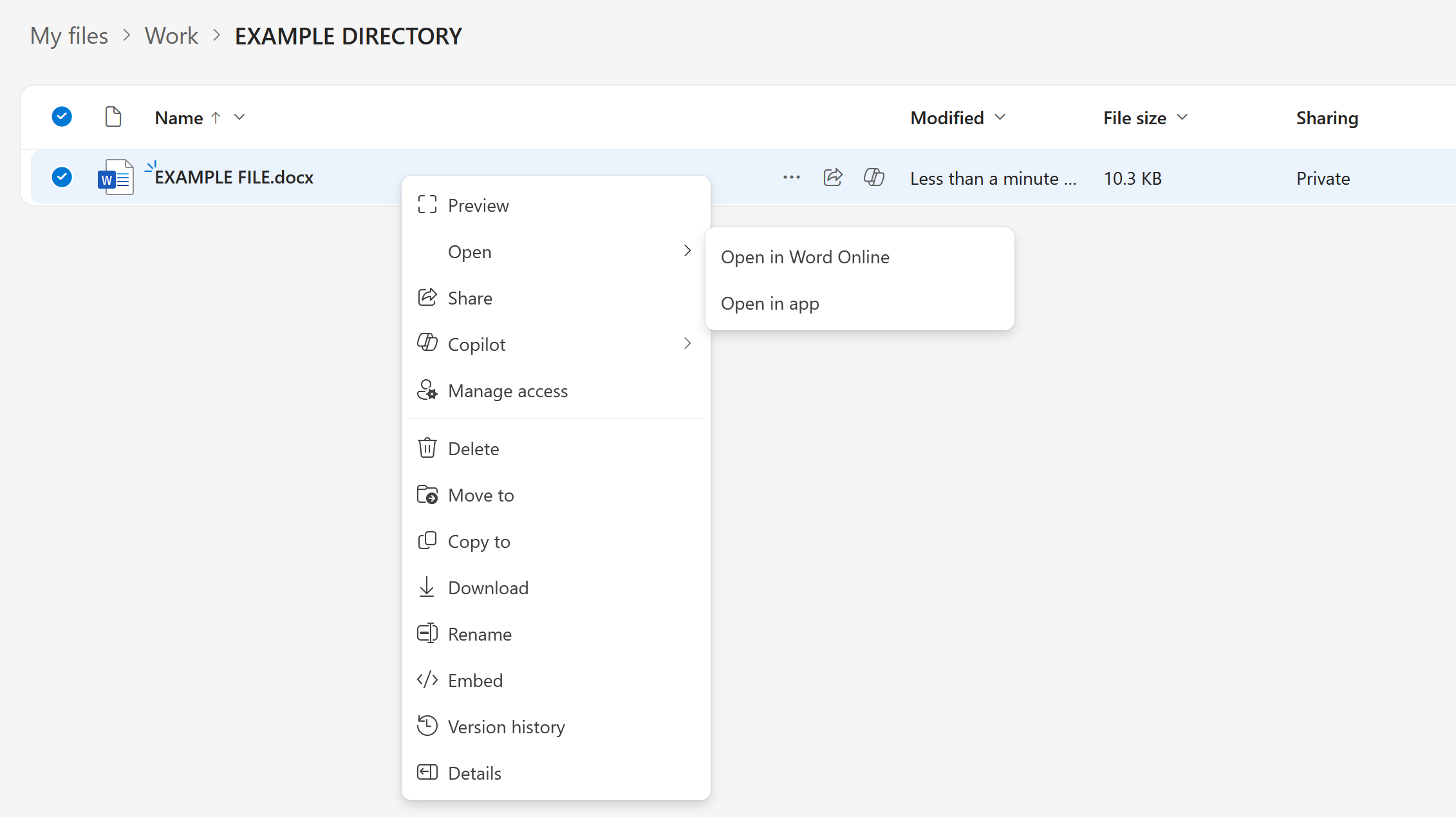

Microsoft has defaulted to opening Office files in the browser (Office Online) when accessed via OneDrive or SharePoint.
Set Office files (Word, Excel, PowerPoint) stored in OneDrive for Business to open by default in the desktop applications, not in the browser.
Change Library Default (Admin Required)
To make Office files open in desktop apps by default in OneDrive or SharePoint:
Go to the document library (OneDrive or SharePoint site).
Click the Gear icon > Library settings.
Go to Advanced settings.
Under “Opening Documents in the Browser”, choose:
Open in the client application
Save.
Or…
Use OneDrive Sync Client (Best for Individuals)
Sync your OneDrive to your computer via the OneDrive app.
Open files directly from File Explorer — they’ll always open in the desktop app.
My answers are voluntary and without guarantee!
Hope this will help you.

To make Office files open in desktop apps by default in OneDrive or SharePoint:
Go to the document library (OneDrive or SharePoint site).
Navigated to https://onedrive.live.com/?id=root&cid={CLIENT-IDENTIFIER-HERE}
Click the Gear icon > Library settings.
Clicked Gear icon. See image for screencapture
.
Go to Advanced settings.
Where are these 'Advanced settings'.