Forum Discussion

Teams forgets device setting
 Jan 17, 2024
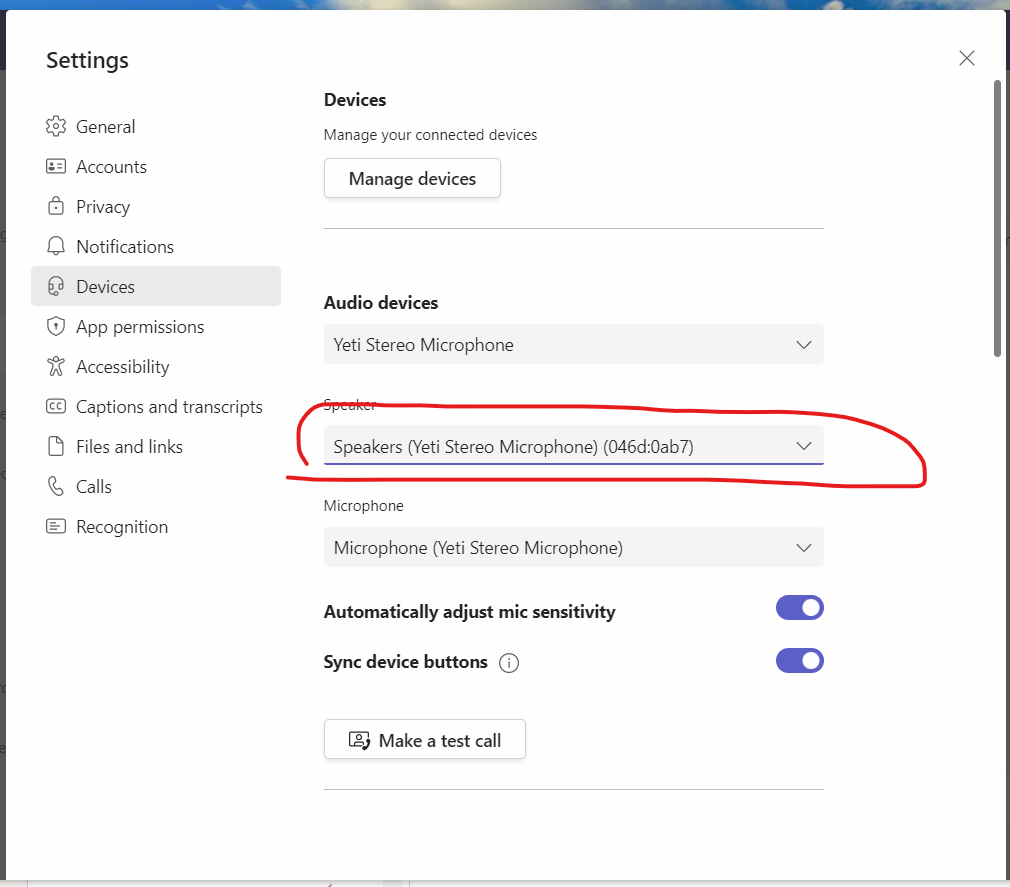
Thanks for the response. I was able to find what I think is a solution to this late yesterday -- not within Teams but at the Windows level. Under the list of sound devices, I disabled the Yeti as a potential speaker. I'll know for sure when I connect at home again tomorrow.

Hi doni49,
unfortunately, Microsoft Teams doesn't currently support an automatic switching feature between different audio devices based on location or connection.
So, you'll need to manually adjust the speaker setting when transitioning between your office and home.
If you find this manual process inconvenient, you can send a feedback to Microsoft about your issue.
You can give feedback directly through the Teams application by navigating to the Help menu and choosing Give feedback.
You can also give feedback on Microsoft Feedback Portal: Microsoft Teams · Community
Please click Mark as Best Response & Like if my post helped you to solve your issue.
This will help others to find the correct solution easily. It also closes the item.
If the post was useful in other ways, please consider giving it Like.
Kindest regards,
Leon Pavesic
(LinkedIn)
- doni49Jan 17, 2024Copper Contributor
Thanks for the response. I was able to find what I think is a solution to this late yesterday -- not within Teams but at the Windows level. Under the list of sound devices, I disabled the Yeti as a potential speaker. I'll know for sure when I connect at home again tomorrow.
- LeonPavesicJan 17, 2024Silver Contributor
Hi doni49,
thanks for your update.
i think that should work for you.
Please click Mark as Best Response & Like if my post helped you to solve your issue.
This will help others to find the correct solution easily. It also closes the item.If the post was useful in other ways, please consider giving it Like.
Kindest regards,
Leon Pavesic
(LinkedIn)