Forum Discussion

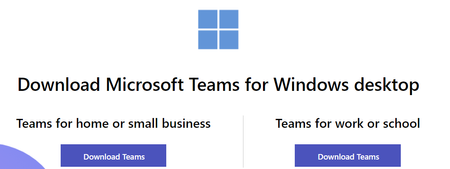
Teams Desktop App: 'Teams for Home or Small Business' vs 'Teams for Work or School'
- Aug 08, 2022
shocko Hi, as you already have M365-licensing you should go for the "work" button even though it's the account signing in deciding the experience and what features you'll get in Teams.
- Work account (usually assigned by an IT admin as a part of an organization with a license to use Teams)
- School account (as part of a school or educational institution)Get a subscription for Microsoft Teams for small business use
Get a subscription for Microsoft Teams for small business useFind the right Microsoft Teams for your needs
Compare Microsoft Teams Options | Microsoft Teams

shocko Hi, as you already have M365-licensing you should go for the "work" button even though it's the account signing in deciding the experience and what features you'll get in Teams.
- Work account (usually assigned by an IT admin as a part of an organization with a license to use Teams)
- School account (as part of a school or educational institution)
Get a subscription for Microsoft Teams for small business use
Get a subscription for Microsoft Teams for small business use
Find the right Microsoft Teams for your needs
Compare Microsoft Teams Options | Microsoft Teams
- shockoAug 08, 2022Steel ContributorSo why provide different installation links at all? It does not make any sense if the feature set/capability is purely decide base don the signing in user no?
- Aug 08, 2022That you have to ask Microsoft 🙂
- ProgentCTOct 19, 2022Brass ContributorThe fact that two apps exist just contributes to the nightmare that is users confusing their corporate identity with a personal identity and Microsoft allowing users to create LIVE IDs with corporate email when a corporate identity already exists.

