Forum Discussion

Suddenly lost permission to create Teams meetings
Good morning.
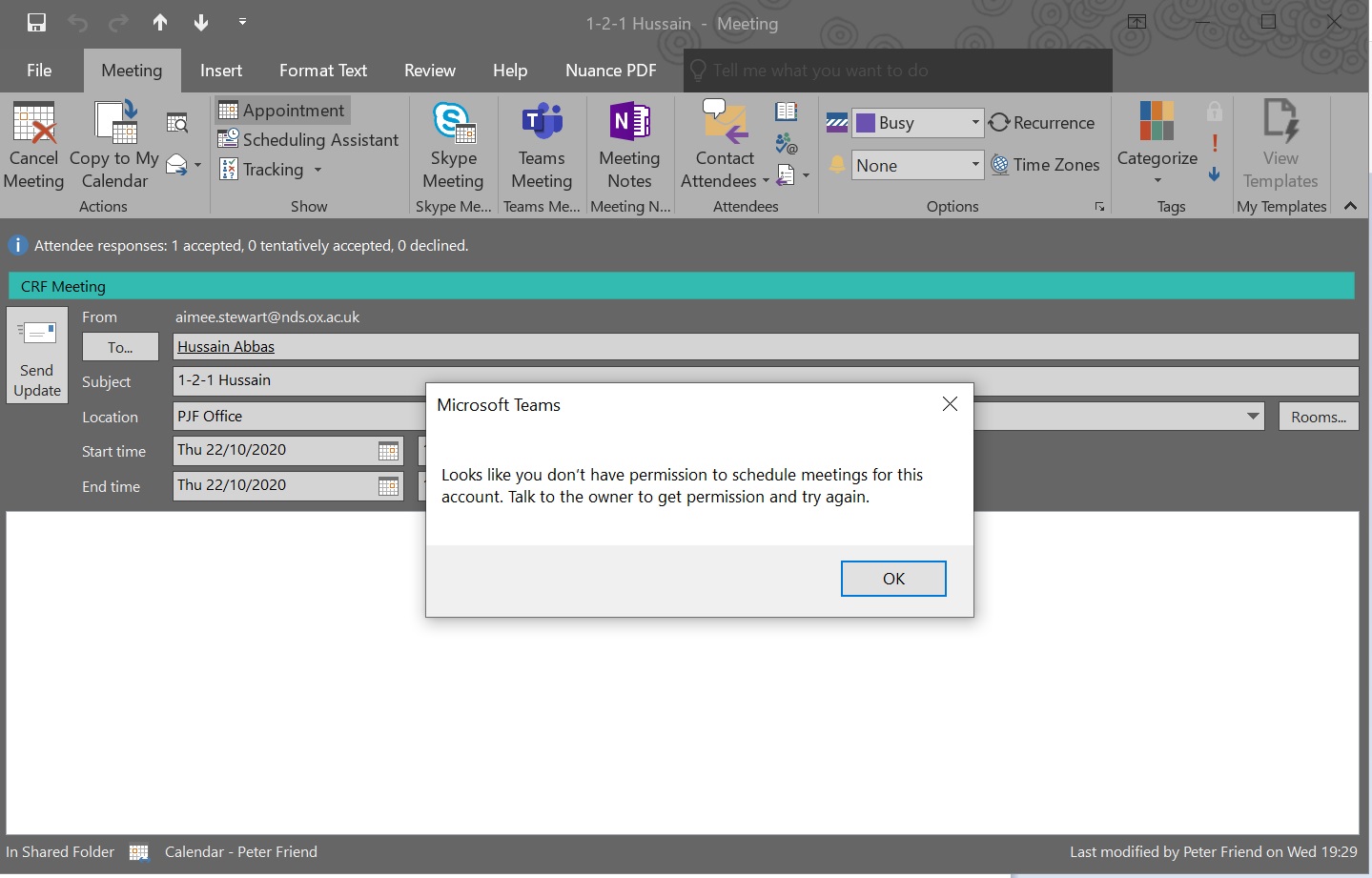
I am an executive assistant and have full rights over my boss' Outlook account. Up until this morning I have been able to create Teams meetings via Outlook in his calendar. This morning I tried to and was met with the message "Looks like you don't have permission to schedule meetings for this account. Talk to the owner to get permission and try again.".
I have logged in to the other account and cannot find any way to change permissions. Indeed it says permissions cannot be revoked as they are set as part of an admin roll (and it's not in a part of the account that my boss would access).
Our departmental IT do not know what has happened. I can still make regular appointments, however given the current climate a lot of meetings are virtual, making this incredibly frustrating.
I've logged out and back in, restarted, updated (all up to date), but cannot think of anything else I can do! It worked fine when I shut down yesterday - but
4 Replies
 ChristianBergstromSilver Contributor
AimeeOx Hello, this prompt is usually something you see when using Teams with Exchange server. But as nothing has changed and it suddenly stopped working I must ask if you have signed out and back in manually of Teams? (top right corner).
Follow these steps:
- Restart the Teams desktop client.
- Sign out and then sign back in to the Teams desktop client.
- Restart the Outlook desktop client. (Make sure Outlook isn't running in admin mode.)
I'm attaching these for reference and troubleshooting.
https://docs.microsoft.com/en-us/microsoftteams/troubleshoot/known-issues/teams-exchange-interaction-issue
https://docs.microsoft.com/en-us/microsoftteams/teams-add-in-for-outlook#delegate-scheduling-does-not-work
 markdevrBrass Contributor
ChristianBergstrom I have encountered a few different issues that cause this issue. I did a write-up on the troubleshooting/resolution around all of them here: https://blog.markdepalma.com/?p=657.
 AimeeOxCopper ContributorThanks for your help, ChristianBergstrom.
Do you mean sign out of my Teams account, or the account belonging to my boss? I have done both but prepared to try again.
The issue is with creating Teams meetings in his Outlook calendar (usually just click the add-in along the top). It's been referred to our central IT team but I've heard nothing from them yet, and it's becoming testing!
Thanks!- ChristianBergstromSilver Contributor
AimeeOx Yeah, it's a way of refresh the settings in Teams and the Outlook client as well (the steps provided). Your IT should be able to figure it out, perhaps they changed something without you knowing? The links should be enough for them though. Hope it gets sorted soon and have a nice weekend!