Forum Discussion

Shared Channels - Can't share to a team on guest tenant
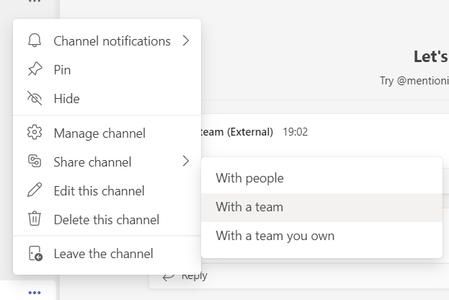

I tried all this in the web version of Teams. I'm the IT support for all these orgs so I can easily jump between the tenants. The accounts being used to share and accept are global admins and owners of several teams. I've also noticed that when I try to share the channel to an internal Team that I own, only one team shows up, when I'm in fact owner of several.... ?

drkmccy Try getting another account to remove then re-add you to those Teams through the Teams client (not admin). See if that makes the Team then appear in the list. I'm still curious that there was this issue in the past where depending on how users were added they appeared in the list of owners but not members
Is there anything different about the Team that does show. Sensitivity labels ? Do they have existing B2B Collaboration guest users ?
- drkmccyMay 06, 2022Brass Contributor
Tried removing and re-adding, that didnt make a difference.
And no, the team is a brand new test team with nothing special about it.