Forum Discussion

aarohbits
Aug 09, 2021MCT
Unable to restrict Microsoft 365 Groups In Teams
Hi All, I have a client’s requirement I had to restrict M365 groups and only selected users can create Teams. I have followed the Microsoft’s step to restrict via PowerShell Manage who can c...
 Aug 12, 2021
Hi TonyRedmond, adam deltinger and jcgonzalezmartin
TonyRedmond I did contact MS Support and issue is resolved. Here is summary what happened:
- In Microsoft call, they were added a different user (Alex) to the group as a Member and Owner as well as. Removed my account (Aroh) from the RestrictM365Groups
- After re-running the script
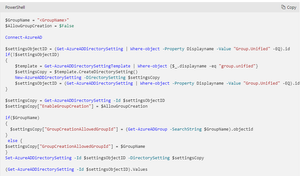
$GroupName = "RestrictM365Groups" $AllowGroupCreation = $False Connect-AzureAD $settingsObjectID = (Get-AzureADDirectorySetting | Where-object -Property Displayname -Value "Group.Unified" -EQ).id if(!$settingsObjectID) { $template = Get-AzureADDirectorySettingTemplate | Where-object {$_.displayname -eq "group.unified"} $settingsCopy = $template.CreateDirectorySetting() New-AzureADDirectorySetting -DirectorySetting $settingsCopy $settingsObjectID = (Get-AzureADDirectorySetting | Where-object -Property Displayname -Value "Group.Unified" -EQ).id } $settingsCopy = Get-AzureADDirectorySetting -Id $settingsObjectID $settingsCopy["EnableGroupCreation"] = $AllowGroupCreation if($GroupName) { $settingsCopy["GroupCreationAllowedGroupId"] = (Get-AzureADGroup -SearchString $GroupName).objectid } else { $settingsCopy["GroupCreationAllowedGroupId"] = $GroupName } Set-AzureADDirectorySetting -Id $settingsObjectID -DirectorySetting $settingsCopy (Get-AzureADDirectorySetting -Id $settingsObjectID).Values $Values = Get-AzureADDirectorySetting | ?{$_.DisplayName -eq "Group.Unified"} $GroupId = $Values.Values |?{$_.Name -eq "GroupCreationAllowedGroupId" } | Select -ExpandProperty Value Write-Host ("The name of the group defined by policy to control group creation is {0} and its object identifier is {1}" -f (Get-AzureADGroup -ObjectId $GroupId).DisplayName, $GroupId) Get-AzureADGroupMember -ObjectId $GroupId
and waiting a moment, the settings seemed to be working correctly.- The issue was, that I was owner of the group but there was no member for the RestrictM365Groups security group.
- After adding my name in both in Owner and Member
- I can create teams with my account
- Other users cannot create Teams
The Microsoft 365 Groups settings at Azure portal has to be turned off.
Thanks a lot for helping and providing your help!
- In Microsoft call, they were added a different user (Alex) to the group as a Member and Owner as well as. Removed my account (Aroh) from the RestrictM365Groups

TonyRedmond
Aug 09, 2021MVP
Group creation control requires Azure AD Premium P1, but as this requirement is not enforced, I don't think it is the problem. It's more likely the disablement of Microsoft 365 Groups for the tenant.
aarohbits
Aug 09, 2021MCT
Thanks a million TonyRedmond , I guess I have to turn on Microsoft 365 Groups and it should resolve the problem ...
- aarohbitsAug 09, 2021MCT
jcgonzalezmartin adam deltinger TonyRedmond
- Testing it but I cant create Teams. Steps I followed:
1) M365 groups is Enabled at the M365 Admin Center. - At Azure Portal, Microsoft 365 Groups is also turned on.
- PowerShell has been executed with my account which has AAD P1 license
- Still with my account which is in RestrictedM365Group security group, I cant create Team
Any suggestions please?
- Aug 09, 2021Wonder if this is a cause of delay due to propagation. But if I recall correctly it goes pretty quick. Have you done a log out and logged back in Teams? Can you create a planner plan from planner directly etc?
Adam- aarohbitsAug 11, 2021MCT
adam deltinger jcgonzalezmartin and TonyRedmond
- I waited for 1 day.
- I noticed that Microsoft 365 Groups toggled automatically to turned off.

- I turned it on
and ran the script again. - RestrictM365Groups security group has only my account and no one else.
- Waited for 40 mins.
- Using Teams App, I can create new teams

- And other users cannot create new Teams.

- Yipee!!

- TonyRedmond
We have to turn on both Security Groups and Microsoft 365 Groups to be turned on? Is it?
- I waited for 1 day.
- TonyRedmondAug 09, 2021MVPCan you create a team using the Microsoft 365 admin center?
Or a new group by running the New-UnifiedGroup cmdlet?
- Testing it but I cant create Teams. Steps I followed:
