Forum Discussion

AimeeOx
Oct 22, 2020Copper Contributor
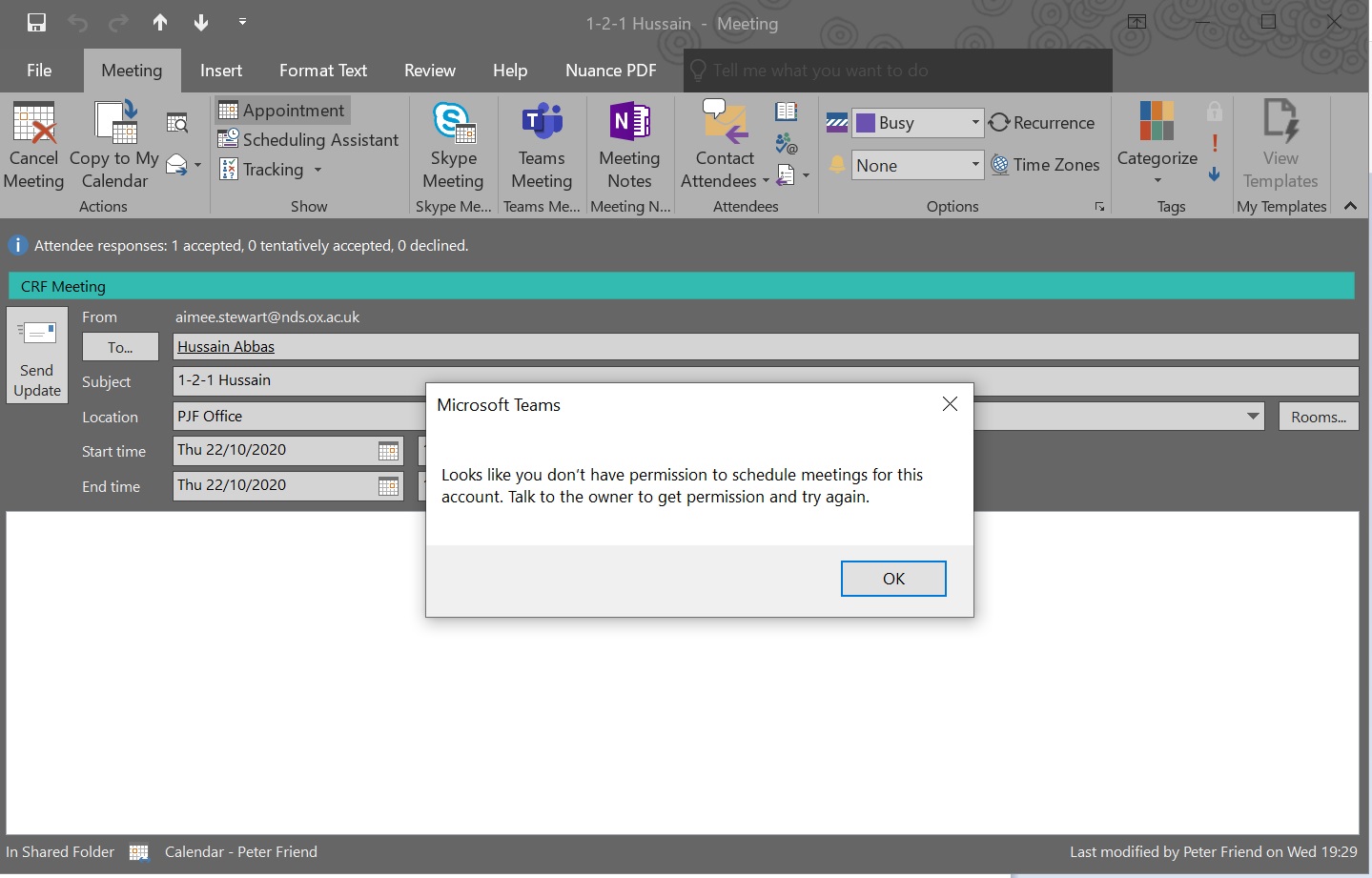
Suddenly lost permission to create Teams meetings
Good morning. I am an executive assistant and have full rights over my boss' Outlook account. Up until this morning I have been able to create Teams meetings via Outlook in his calendar. This mor...

ChristianBergstrom
Oct 23, 2020Silver Contributor
AimeeOx Hello, this prompt is usually something you see when using Teams with Exchange server. But as nothing has changed and it suddenly stopped working I must ask if you have signed out and back in manually of Teams? (top right corner).
Follow these steps:
- Restart the Teams desktop client.
- Sign out and then sign back in to the Teams desktop client.
- Restart the Outlook desktop client. (Make sure Outlook isn't running in admin mode.)
I'm attaching these for reference and troubleshooting.
https://docs.microsoft.com/en-us/microsoftteams/troubleshoot/known-issues/teams-exchange-interaction-issue
https://docs.microsoft.com/en-us/microsoftteams/teams-add-in-for-outlook#delegate-scheduling-does-not-work

markdevr
Nov 22, 2020Brass Contributor
ChristianBergstrom I have encountered a few different issues that cause this issue. I did a write-up on the troubleshooting/resolution around all of them here: https://blog.markdepalma.com/?p=657.