Forum Discussion

Henry Edwards
May 27, 2020Brass Contributor
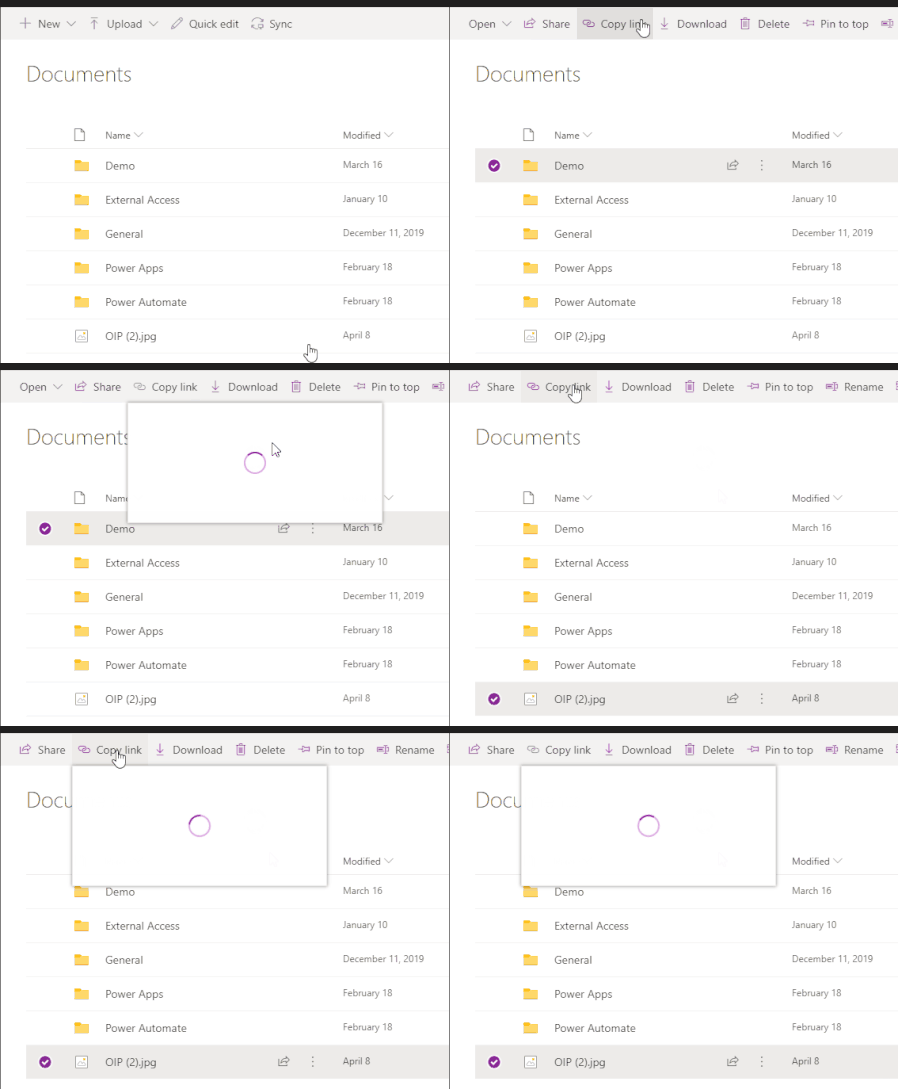
'Copy Link' for Folder/Files does not work in Teams
When you access a document library using the website/SharePoint tab and click on 'copy Link' the dialog opens up and has a spinning circle constantly, doesn't load.
 Jun 13, 2022
Great
It works for me as well!!!
Strange thing is mine updated 8th of june but only today it workedYesterday I thought, how can this still be possible as I had this issue for a very long period of time
(opening the Team in SharePoint the copy link always did work as workaround)
but happy now 🙂

Paul_IQPC
Dec 23, 2021Brass Contributor
Florisz - as I am only using teams recently could you just confirm that it was possible to link to inside teams previous to this fiasco and now it is only sharepoint - cheers
P
P

Florisz
Dec 23, 2021Brass Contributor
Paul_IQPC
See link below with screenshot how it used to be. In this screenshot is the option for edit/view and for who the link will be accessible already missing.
https://techcommunity.microsoft.com/t5/microsoft-teams/teams-get-link-dialog-missing-can-t-get-a-teams-link/td-p/1869197
See link below with screenshot how it used to be. In this screenshot is the option for edit/view and for who the link will be accessible already missing.
https://techcommunity.microsoft.com/t5/microsoft-teams/teams-get-link-dialog-missing-can-t-get-a-teams-link/td-p/1869197