Forum Discussion

Common Area Phone License and Meeting Rooms \ SignInMode
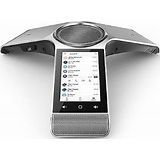
 Jul 28, 2021
You seems to be using the latest firmware on the phone and Microsoft did another "great" solution to take your money.
https://m365log.com/teams/enforcement-of-licenses-on-teams-phones/
Now phones with the latest firmware are enforcing signin via based on license plan assigned to account.
Before this time it was possible to use normal Common Area Phone without CAP ipphonepolicy which was the solution for the main issue with CAP interface >> speed dials.
And microsoft was telling that they will add speed dial for CAPs.
Well, they've found different approach. Now you have to pay more for another bundle of license (which one? good question) and CAP license becomes quite useless.
If you want you can try to downgrade one of your phone (factory reset afterwards is must).
With old teams agent in the firmware it should not change the interface automatically.

Same issue here. We were using some Phone devices in small conference rooms with CAP licenses for quite a while but now no calendar anymore after latest updates. I had the same idea and assigned a "Teams Room Standard" which worked for a day ... but after signing out the account and rebooting the phone even this does not work anymore and I tried it now with a spare E5 license which works as it should. Did you ever sign the account out of all devices, reboot the device and sign back in with a Teams Room license? Seems I have to give it another try if this works for others ...

"Teams Room Standard" is working for me reliably and makes sense for meeting rooms. Reboots etc and the phone continues to work fine for me showing the calendar
Response from MS
"We’ve recently published documentation to provide more information. https://docs.microsoft.com/en-us/microsoftteams/devices/teams-android-devices-user-interface
Because of a recent change in enforcing licenses on phones, it might seem to the customer that they lost functionality. "
There will be further changes GA in September _ not quite sure what the outcome will be.
From my testing
1. CAP license will lock down the phone to a common area phone mode _ so "fair enough"
2. Meeting room phones\devices need at least "Teams Room Standard" to expose the calendar _ again "fair enough"
Still trying to get a clear answer on what license to use for a generic reception account where the "user sign in experience" is required. On the face of it a "E1 + Phone System question" seems logical but still checking on this to ensure compliant with licensing rules etc