Forum Discussion

Common Area Phone License and Meeting Rooms \ SignInMode
 Jul 28, 2021
You seems to be using the latest firmware on the phone and Microsoft did another "great" solution to take your money.
https://m365log.com/teams/enforcement-of-licenses-on-teams-phones/
Now phones with the latest firmware are enforcing signin via based on license plan assigned to account.
Before this time it was possible to use normal Common Area Phone without CAP ipphonepolicy which was the solution for the main issue with CAP interface >> speed dials.
And microsoft was telling that they will add speed dial for CAPs.
Well, they've found different approach. Now you have to pay more for another bundle of license (which one? good question) and CAP license becomes quite useless.
If you want you can try to downgrade one of your phone (factory reset afterwards is must).
With old teams agent in the firmware it should not change the interface automatically.
You seems to be using the latest firmware on the phone and Microsoft did another "great" solution to take your money.
https://m365log.com/teams/enforcement-of-licenses-on-teams-phones/
Now phones with the latest firmware are enforcing signin via based on license plan assigned to account.
Before this time it was possible to use normal Common Area Phone without CAP ipphonepolicy which was the solution for the main issue with CAP interface >> speed dials.
And microsoft was telling that they will add speed dial for CAPs.
Well, they've found different approach. Now you have to pay more for another bundle of license (which one? good question) and CAP license becomes quite useless.
If you want you can try to downgrade one of your phone (factory reset afterwards is must).
With old teams agent in the firmware it should not change the interface automatically.

Yes I also heard back from MS _ it isn't as clear as what you state but writing is on the wall
"Teams Rooms devices now require device licensing, either Teams Rooms Standard or Teams Rooms Premium (managed services).
All future meeting room capabilities will only be available in Teams Rooms Standard and Premium SKUs.
In your case I assume you want to manage the device so the best option is the Teams Rooms Standard SKU."
I also see another article which echoes the one you call out.
https://pupuweb.com/mc273378-enforcement-licenses-teams-phones/
So it would seem that CAP license have the CAP policy enforced.
I will just need to figure out what license is needed for a reception phone
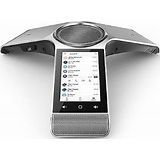
- Ruslan_BakharevAug 04, 2021Brass ContributorThat's correct. For Audio Conference phones like Yealink CP960 and Trio C60 is better to use Teams Room license because you will need calendar features.
And of course some resource mailbox for it to book the meeting with.
CAP by default doesn't have it but still works on previous firmware, however it is not supported by Microsoft.
We use Teams Room Standard for Audio Conference phones as the most suitable one.
Please be aware as this license bundle also contains Intune license, But it's up to you to use intune or not.
Depends of what you need for reception. I mean what kind of interface (user or CAP or AC).
You can use some E3+Phone system addon or even F3 + Phone System for User interface.
Or you can try combination of CAP + Exchange Online P2 + user mailbox type (to enable Voicemail).
Also possible to use Teams Room Standard. But if you'll need voicemail >> you will need to add EXO Plan 2 + user mailbox type.
Basically there is quite a lot flexibility here so play in lab and get the most convenient way you like.
I've also heard from my MS contact that it will be possible to enable speed dials even for current CAP enforced interface.
Which should finally fix the current problem with CAP native interface.- AlistairKeay1Aug 05, 2021Brass ContributorThanks.
The reception phone needs "UserSignIn" mode _ key is what you picked up.
The intent is a phone that will be left signed in as "Reception NY" for example. The person manning the phone can answer calls to reception and then transfer to typically an internal contact _ so it needs to show speed dials\contacts on the phone to allow simple\quick transferring. (No calendar\mail requirements)
MS told me to hold on while they investigate. Idea of E1 + Phone System flagged as "technically it works but this scenario is not compliant for device "
Also don't suppose you know _ is SideCar RTM or still classified as Beta?
When I lasted tested it worked perfectly but in production I hit "Due to a known issue the sidebar may trigger the bug of displaying "sign in your account" window on secondary interfaces. New Teams APP solved this issue will be released by Microsoft on TAC"- mnoethAug 11, 2021Copper Contributor
Same issue here. We were using some Phone devices in small conference rooms with CAP licenses for quite a while but now no calendar anymore after latest updates. I had the same idea and assigned a "Teams Room Standard" which worked for a day ... but after signing out the account and rebooting the phone even this does not work anymore and I tried it now with a spare E5 license which works as it should. Did you ever sign the account out of all devices, reboot the device and sign back in with a Teams Room license? Seems I have to give it another try if this works for others ...