Forum Discussion

Person in organization: Auto attendant
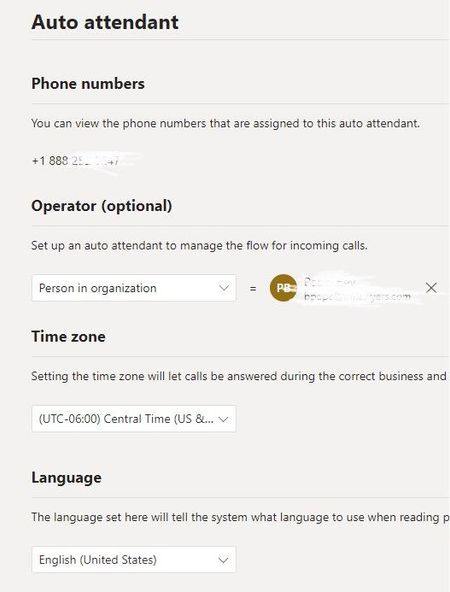

Can you try redirecting the call(person in org and pick the operator) as opposed to playing menu options and pick the person and then get into call routing if the person does not answer?
Best,
Bp

Bipin-prakash the issue here is the call never goes to the operator at all. IT goes to the dial menu with our greeting right away, where the caller could dial a name or press a number.
- Dima RazbornovJul 06, 2022Copper Contributor
Bipin-prakash, hey actually that worked but this workaround doesn't suppress the user's voicemail. Also, if the person did not pick up the call it dies without going to the call logic.
So the question is the same, why I cannot put a call queue or operator or even external number before the IVR menu.
 bipinprakashJul 06, 2022Brass Contributor
Dima Razbornov Hi, Yeah I am not sure why... I am not seeing an option where the operator preempts the IVR menu. I tested and it routes correctly if I have an option set to choose operator and it routes to the operator specified in the options.
- Dima RazbornovJul 07, 2022Copper Contributor
Well, the operator is on the first page and then IVR goes. As far as I understand it. And according to docs, it should... just work.
To designate an operator, specify the destination for calls to the operator. This designation is optional but recommended. Set the Operator option to allow callers to break out of the menus and speak to a designated person.
https://docs.microsoft.com/en-us/microsoftteams/create-a-phone-system-auto-attendant?tabs=general-info#step-1-set-the-auto-attendants-general-informationSo it is supposed to have the receptionist first and then the IVR menu. Am I reading it wrong?