Forum Discussion

New Lists app in Teams
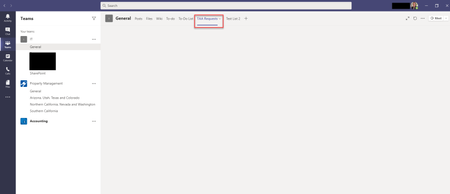

Hi ChrisWebbTech -
Thank you for the quick response! I checked for Teams updates and it said "You've got the latest updates. Enjoy!" I then signed out and quit Teams, installed Windows updates and restarted PC but when I attempted to add the list again, the tab is still blank. It populates the list name, but the list doesn't render.
When you say you used the URL method, are you just copying the URL for the list you want from the address bar and pasting into the "Enter link here" field here? -
Thank you,
M

I'll try a list that others don't have access too and see.
- Sep 10, 2020Well same thing, works in my other tenant as well. Have you tried via teams.microsoft.com web client and see if issue persists there?
- morghandcSep 10, 2020Brass Contributor
ChrisWebbTech - I have the same issue within the Teams web client as well. The list is open to "Everyone external users" and I am the company Admin. I had our other company Admin run the same steps I did to add the list and of course it's working for him... Very odd. I will try an Office repair and see if that helps. It's definitely just me.
Thank you,
Morghan
 chilledriceSep 10, 2020Copper Contributor
morghandc I'm having a similar problem, but not really identical:
in the original team where the lists tab was created everyone can view it normally
in the numerous other teams where the lists tab was configured to add an existing list (the above), everyone can see the tab, but it is just a blank tab.. nothing loads.
some additional info:
under manage access (of the original list), all other teams were given full control
we tried multiple combinations, adding users directly, adding users as part of a group (team) etc., but tab still shows blank
lists tab works when opened in a web browser, but teams doesn't work in incognito for me (something to do with third-party cookies, but ignore me)
the strange part is if you get a user to join the original team and access the list once, the list can be viewed from all other teams of this user..
- Sep 10, 2020One Difference I do notice, I do not have the newer list UI/UX for my user account when browsing the list in SharePoint. Wondering if that has anything to do with it.